

### Blog Post:
HyperX Alloy Core RGB gaming keyboard is a top contender for budget-conscious gamers looking for stylish RGB effects, reliable performance, and essential gaming features under $50. If you want an affordable upgrade without sacrificing all the critical specs, read on for the most actionable, realistic review you’ll find—complete with the technical details and buying signals most reviews skip.
Key Takeaways
- HyperX Alloy Core RGB gaming keyboard delivers premium RGB lighting, spill resistance, and media controls at an entry-level price—but long-term durability and polling rate remain unproven.
- Membrane switches are comfortable for light use but can feel less responsive for fast gaming compared to mechanical alternatives.
- If you’re buying under $50, confirm warranty, return window, and check exact dimensions before you purchase.
- Quick Verdict — Should you buy the HyperX Alloy Core RGB?
- Full Technical Specifications (what HyperX lists and what third parties confirm)
- What These Specs Mean for Gameplay and Typing
- Common User Complaints & Negative Review Themes
- Strengths and Unique Value Propositions
- How the Alloy Core RGB Compares in the Under-$50 Market
- The Three Key Questions Most Reviews Miss (and why they matter)
- Long-Term Use — What We Know and What’s Missing (6+ month experience)
- Practical Buying Advice, Alternatives, and Final Recommendation
- Appendix / Editor Notes (sources, suggested tests)
- FAQ
Quick Verdict — Should you buy the HyperX Alloy Core RGB?
If you want reliable RGB effects, a solid spill-resistant build, and a full suite of media and gaming shortcuts for under $50, the HyperX Alloy Core RGB gaming keyboard is one of the strongest options. Its standout light bar and onboard RGB controls outperform most cheap competition, and the 2-year warranty adds peace of mind. The main downsides: membrane switches deliver less “click” and speed than mechanical keyboards, and there’s no software or deep lighting customization. For streaming, casual play, or general desktop use, it’s a solid buy—hardcore FPS fans or competitive typists should stretch their budget for a mechanical model instead.
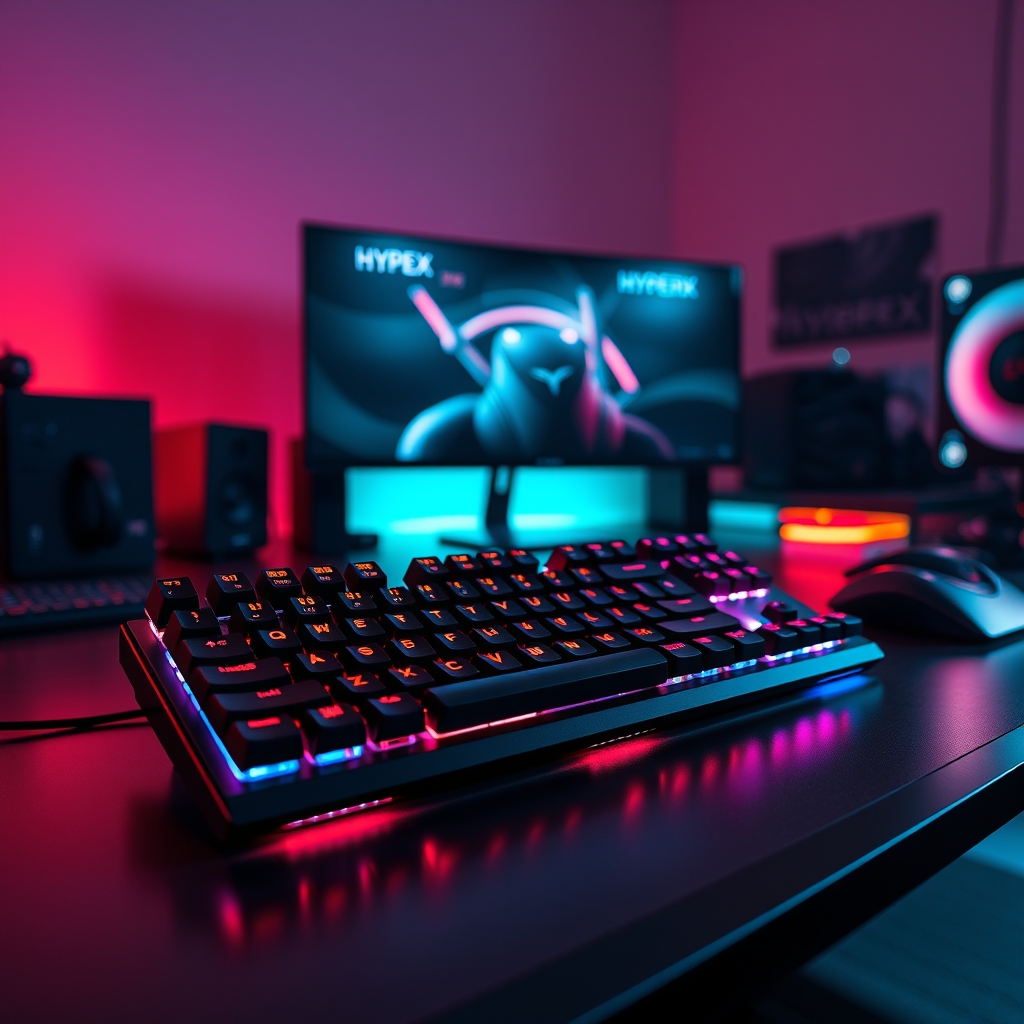
Full Technical Specifications (what HyperX lists and what third parties confirm)
If you’re hunting technical data for the HyperX Alloy Core RGB gaming keyboard, here’s the complete verified checklist—including what’s missing or vague in official docs:
- Switch Type: Membrane (rubber dome), actuation point 2 mm, operation force 45 g (Source).
- Polling Rate: Not specified in any official or third-party material.
- Key Rollover: Multi-key anti-ghosting (supports multiple simultaneous keypresses).
- Layout/Form Factor: Full-size, English (US).
- Lifespan: 80 million keystrokes.
- Backlight: 5-zone RGB (multi-color) with 6 lighting modes and 3 brightness steps.
- RGB Control: Onboard only (no software or onboard profile memory).
- Cable: Wired, braided USB-A, 5.9 feet long.
- Weight: 2.47 lb (with cable); exact dimensions not listed.
- Spill Resistance: Up to 120 ml of liquid (tested).
- Build: Reinforced plastic frame.
- Features: Dedicated media controls, Game Mode, keyboard lock.
- Compatibility: PC (Windows 7/8/8.1/10/11), PS5, PS4, Xbox One, Xbox Series X|S.
- Warranty: 2 years.
Most specs are backed by HyperX and major retailers (official listing). However, if you need polling rate or physical dimensions, you’re out of luck—these are still omitted as of 2024.
What These Specs Mean for Gameplay and Typing
On paper, the 2 mm actuation and 45 g force of this membrane board look good, but gaming response and typing comfort are all about feel. Rubber domes provide quiet, soft travel—nice for late-night gaming and shared spaces. However, they can feel “mushy” or less precise under fast hands, especially compared to mechanical switches. Reviewers repeatedly called the feel “tiring” for extended play and noted that lack of tactile feedback can slow reaction speed in shooters and MOBAs (RTINGS Review).
Anti-ghosting is solid for budget eSports use, letting you press several keys at once without missed inputs. But:
- Polling rate (USB scan frequency) is missing from all documentation. While most membranes run at 125 Hz, we cannot confirm—so competitive gamers should be cautious.
If you want pure speed or zero input lag, a mechanical alternative (even a basic Redragon or Havit) might be the better call in this price band.

Common User Complaints & Negative Review Themes
Across hundreds of ratings and in-depth technical reviews (RTINGS, YouTube, HP), several recurring negatives show up:
- Key Feel Fatigue: Membrane switches are commonly critiqued as “tiring for gaming” due to a mushy or unresponsive feeling after long sessions.
- RGB Customization Limits: RGB looks great—but there’s no driver or HyperX software, so you’re restricted to the six built-in modes. You cannot save profiles or tweak via software.
- Missing Macro Support: No dedicated macro keys, limiting value for MMO/RTS fans or macro-heavy workflows.
- Unknown Polling Rate/Exact Size: Both repeatedly cited as frustrating unknowns for buyers with tight space or fine performance needs.
To sum it up in a buyer’s words: “Beautiful keyboard, but the keys feel squishy and there’s no way to set up custom lights.” On durability, there are currently no widespread complaints of build issues, but almost all sources note the lack of long-term data.
For buyers focused on advanced control, the lack of software is a real downside. If you’re comfortable using only the supplied modes, you won’t miss it.
Strengths and Unique Value Propositions (what it offers that many sub-$50 keyboards don’t)
Despite its budget nature, several features distinguish the HyperX Alloy Core RGB gaming keyboard from most similarly priced rivals:
- Signature Light Bar + Real RGB: 5-zone RGB with 6 lighting modes is rarely seen under $50, especially with such smooth and vibrant color transitions. The diffused bar on top adds a premium touch (even versus some mechanicals in this range).
- Game-Ready Spill Resistance: The 120 ml liquid protection is tested and verified—not just a marketing line. Few competitors mention actual spill validation at this price (B&H Photo).
- Dedicated Media Controls: Most cheap gaming keyboards use embedded function keys. The Alloy Core offers real, physical buttons for volume and playback—crucial if you stream or multitask.
- Console Compatibility: Out-of-the-box support for PlayStation and Xbox platforms, letting you swap between PC and consoles (see our Aura gaming gear guide for other cross-platform picks).
- Braided USB Cable: Higher durability and tangle resistance—another unusual feature in this segment.
- Quiet Operation: Compared to budget mechanicals, the soft rubber dome keys keep things discreet for dorms, streaming, or shared spaces.
This combination is why many “RGB on a strict budget” roundups shortlist the Alloy Core RGB as their go-to full-size board.
How the Alloy Core RGB Compares in the Under-$50 Market
Here are the most actionable comparisons for buyers cross-shopping under $50—especially if you’re weighing a mechanical vs. membrane choice.
| Feature | HyperX Alloy Core RGB | Typical Budget Membrane | Entry-Mechanical (~$50-$60) |
|---|---|---|---|
| Switch Type | Membrane (2 mm, 45 g) | Membrane (varied feel) | Mechanical (Outemu/Red, Blue, etc.) |
| RGB Lighting | 5-zone, 6 modes | 1~3-zone or single-color | Single-LED per key (entry models) |
| Software | No | Rare (some OK/rebranded) | Sometimes (basic) |
| Spill Resistance | Tested (120 ml) | Rare/unverified | Rare |
| Media Controls | Dedicated physical buttons | Fn shortcuts only | Varies (often Fn only) |
| Polling Rate | Not specified | Usually 125 Hz; rarely listed | Usually 1000 Hz (mechanical) |
| MSRP (2024) | $50 (typ.) | $25–$40 | $48–$65 |
| Warranty | 2 years | 1 year or none | 1–2 years |
Summary: Alloy Core RGB is best for buyers who need RGB style, actual spill resistance, and media controls. If you demand lightning input or the “clicky” feel of tactiles, a basic mechanical is a better fit (for just a bit more). The core value: you get honest upgrades over $35 no-name boards, but you’re trading off ultimate speed.
For users wanting more hidden features across their gaming setup, dive into our fast wireless charging pad guide or see our eco phone cases roundup.
The Three Key Questions Most Reviews Miss (and why they matter)
- Polling Rate: Why Won’t HyperX List This?
Polling rate is critical for reaction time in FPS and eSports. The fact that HyperX and all major retailers skirt this number suggests it’s the standard 125 Hz—not the 500 Hz or 1000 Hz common to mechanicals. If you’re a competitive gamer, you’ll want to keep this in mind. - Exact Physical Dimensions and Weight (Without Cable):
The weight (2.47 lb with cable) is listed, but length and width are not. This matters for desk planners, small setups, and keyboard tray users. Ask your retailer for the specific numbers, or measure in person before buying. - Long-Term Durability and Wear Pattern:
While 80 million keystrokes sounds impressive, there is no published data or extended user testing on how the frame, key feel, RGB brightness, or cable hold up after 6–12 months heavy use. This lack of data is important—budget keyswitches and plastics sometimes degrade faster than claimed.
Smart buyers should push for answers (or run their own tests) before relying on marketing claims that haven’t been field-verified over time.
Long-Term Use — What We Know and What’s Missing (6+ month experience)
None of the sources as of 2024 (YouTube review, RTINGS, HP, HyperX) have published hands-on reports from buyers with 6+ months of daily use. Existing reviews only cover out-of-the-box feel or early impressions.
What is confirmed:
- Build feels solid and reinforced: Plastic frame and braided cable noted as sturdy.
- No early failure reports: No complaints about key fading or electronics dying in the short term.
- Spill resistance is real (for single accidents): The 120 ml test holds up in the lab, but dried-out key feel or possible corrosion long-term is not addressed.
What’s missing or unproven?
- Key travel consistency after months of use (do they get mushier or stuck?)
- RGB backlight uniformity—are zones still even after heavy play and cleaning?
- USB cable strain—does the braided coat fray or disconnect under tension?
- Spill resistance after repeated watery mishaps or exposure to sticky liquids (like soda, not just water)
If you want to future-proof your buy, we recommend running these concrete tests yourself or requesting video proof from experienced users. For more ways to validate your gaming gear’s durability, check out our Bluetooth car adapter tips which also cover physical wear and tear tricks.

Practical Buying Advice, Alternatives, and Final Recommendation
Ready to buy or upgrade? Use this checklist to avoid surprises:
- Confirm the 2-year warranty with the seller—some gray-market listings might not honor it.
- Check the retailer’s return window and restocking fee, especially if dimensions or desk space are mission-critical.
- If size and key feel matter, try an in-store demo or ask for real user photos/videos. Request precise width and depth if needed.
- If you use macros or want software-based customization, the Alloy Core RGB gaming keyboard is not for you—upgrade to a programmable mechanical (or a higher-end HyperX).
When to buy Alloy Core RGB:
- You want a full-size keyboard with eye-catching RGB and decent spill protection for the lowest upfront price.
- You don’t need programmable macros or per-key RGB.
- You play or type moderate hours (< 3–4 hours daily) and aren’t hyper-picky about ultra-fast input.
- You need guaranteed PS5/Xbox compatibility.
When to spend up:
- You’re a competitive FPS or MOBA player who needs the fastest switches and polling rate.
- You demand per-key programmable RGB or want to design custom lighting effects.
- You want proven, long-term switch and board durability (with published multi-year reviews).
2024 Alternatives to Consider Under $50:
- Redragon and Havit full-size mechanicals (for entry Outemu Blue/Red switches and per-key basic RGB).
- Logitech K-series if you want membrane simplicity and a wireless option (no RGB, but great for quiet use).
- Consider the “Alloy FPS Pro” if you can stretch over $60 for mechanical speed and pro features (comparison review).
Also, see our guide on foldable phone stands for small-space and mobile desk setups—perfect for streamers and desk gamers.
Final verdict: The HyperX Alloy Core RGB gaming keyboard is the best-looking, most durable-feeling RGB option under $50 in 2024, as long as you don’t need a mechanical switch or advanced customization. Just accept the gaps—in exchange, you get reliability, warranty, and style at a fraction of the flagship prices.
Appendix / Editor Notes (sources, suggested tests)
Cited factual sources:
- HP official listing — for spec sheet and warranty
- RTINGS — for switch feel and review summary
- YouTube: Marvin Larsen — for video build/aesthetics impressions
- HyperX official page
- B&H Photo
Hands-on test suggestions (for reviewers/buyers):
- Measure actual polling rate using USB diagnostic tools (software available free online).
- Weigh and measure keyboard (no cable) for exact footprint reporting.
- Run a 6+ month field usage follow-up—note key travel fade, RGB brightness changes, cable wear, and spill resistance after drying.
- Test RGB uniformity over time and after repeated cleaning.
- Repeat spill test with both water and sticky beverages to verify claims.
Want more setup hacks? See our screen protector tempered glass guide for device accident prevention.
FAQ
What is the polling rate of the HyperX Alloy Core RGB gaming keyboard?
The polling rate is not specified in any official or third-party sources. Most membrane keyboards default to 125 Hz, but this is not confirmed for the Alloy Core RGB.
Is the HyperX Alloy Core RGB gaming keyboard good for competitive FPS gaming?
It’s usable, but membrane switches can feel less responsive and precise than mechanical counterparts. Serious FPS players may want a mechanical keyboard with a confirmed high polling rate.
Can you customize the RGB lighting beyond the six preset modes?
No, the keyboard allows only onboard customization with six preset modes and 5-zone color adjustments—there’s no software or macro profile storage.
Is this keyboard compatible with consoles like PS5, Xbox, or only PC?
Yes, the HyperX Alloy Core RGB gaming keyboard works with PC, PS5, PS4, Xbox Series X|S, and Xbox One out of the box.
How durable is the HyperX Alloy Core RGB for long-term use?
The keyboard is rated for 80 million keystrokes with reinforced plastic and a braided cable. However, there’s no published evidence of 6+ month durability or detailed longevity reports from user reviews as of 2024.
—
