

Precision gaming mouse specs can be overwhelming, but most high DPI numbers and fancy marketing hide the facts that actually matter for FPS performance. If you want to hit shots like the pros in Valorant or CS, you need real-world precision—not just flashy features.
Key Takeaways
- Ignore DPI hype; sensor consistency, low weight, and low latency are what top FPS pros care about.
- Esports-grade mice focus on shape, ultra-light design, reliable optical switches, and minimal smoothing.
- Most competitive players use 400–1600 DPI, 1–2mm LOD, and polling rates of 1,000 Hz or higher—but diminishing returns hit fast.
- Why “Precision” Marketing Is Misleading — and what actually matters
- Step-by-Step Precision Mouse Buying Guide for FPS Players
- Advanced Analysis & Common Pitfalls
- Conclusion (Top Picks and Next Steps)
- FAQ
Why “Precision” Marketing Is Misleading — and what actually matters
Most ads for a precision gaming mouse focus on numbers like 30,000 DPI or AI “aim assist.” Here’s the truth: top esports players rarely use more than 1,600 DPI, and features like RGB don’t make you more accurate. What really counts are sensor consistency (no acceleration, no jitter), stable polling, a low (<2mm) lift-off distance, and ultra-low latency. Don’t be distracted by hype—focus on what actually helps you hit heads in Valorant, CS, or Overwatch.
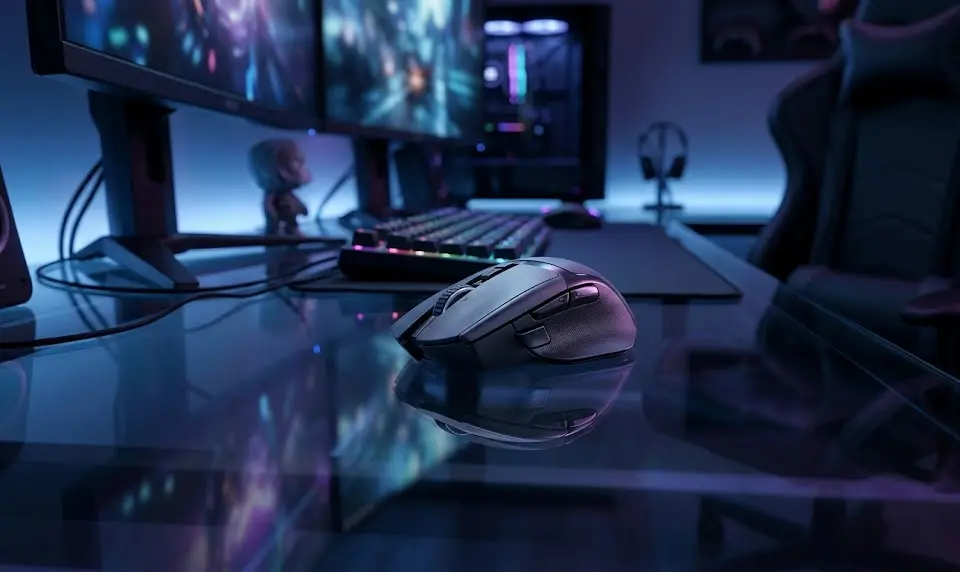
- Myth: “Higher DPI means more precision.”
Fact: Almost all pros use 400–1600 DPI. Anything above 3,200 DPI is just marketing [Source]. - Myth: “RGB or adjustable weight boosts performance.”
Fact: Shape, weight, and sensor accuracy matter. Most pros use ultra-light, no-frills mice. - Myth: “AI aim tuning” or fancy macros help you win in tournaments.
Fact: Tournament play always disables software aim assists and macros.
For FPS, all the “precision” that matters comes from hardware: the sensor, polling rate, shape, and switches. Marketing rarely tells you how well these work together when milliseconds count. Don’t pick a high DPI gaming mouse just because of stats—choose one that’s proven by evidence and pro use.
Want even more control? Consider ergonomic mouse designs if you have wrist pain or play for long hours—see our ergonomic gaming mouse guide.
Step-by-Step Precision Mouse Buying Guide for FPS Players
To buy the right precision gaming mouse for FPS, you need to look past the box and focus on specs that actually impact aim. Here’s what to do:
- Start with Your Hand Size & Grip:
- Measure your hand from wrist to tip of your middle finger.
- Decide: fingertip, claw, or palm grip? Precision in FPS usually favors fingertip or claw.
- Match hand size to mouse length and width. See more ergonomics tips.
- Pick the Right Weight:
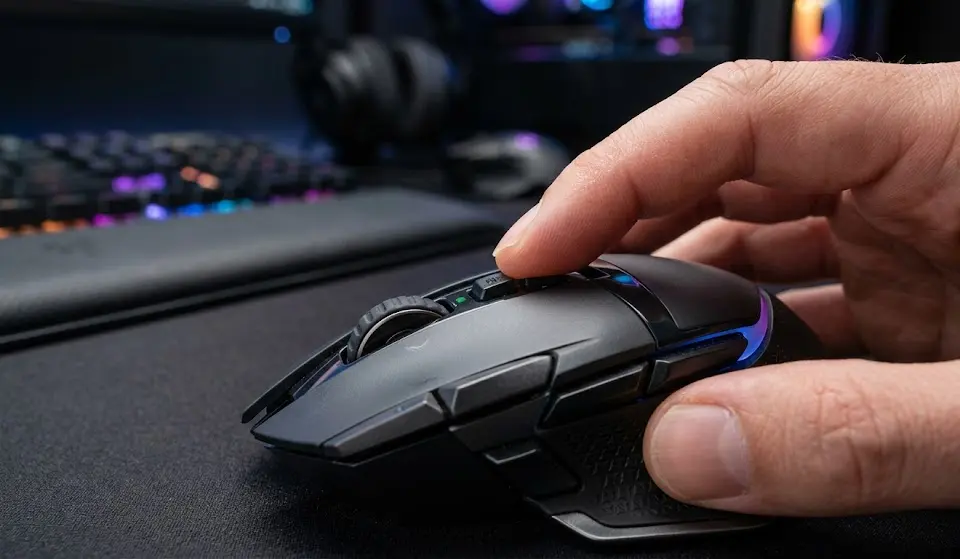
- Most FPS pros use mice under 65g. Ultra-light models (45–60g) enable faster flicks and less fatigue.
- Adjustable weight gaming mice offer comfort tuning, but static low weight is king for competitive play.
- Prioritize Sensor Consistency:
- Ignore maximum DPI. Look for PixArt 3395, Hero 25K, or Razer Focus Pro sensors. 400–650 IPS and 1–2mm adjustable LOD are ideal.
- Read real-world reviews for reports of “spin-outs,” smoothing, or weird LOD jumps.
- Test or Verify Polling & Latency:
- 1,000 Hz polling is enough for nearly everyone; 4K/8K is only a slight gain for top 1% players on 240Hz+ monitors.
- Wired or premium wireless? Most pro-grade wireless is now as fast as wired, just check for reported latency tests.
- Switch Quality:
- Optical switches reduce double-click risk and give fast actuation. Mechanical is fine if it’s well-built, but optical is safer long-term.
- Feel for button wobble, side play, or mushy clicks—these signal poor build quality.
- Software and Onboard Memory:
- Avoid mice that require complex drivers for basic functions. Onboard memory preserves DPI/polling even on different PCs or consoles.
- Check for issues in user reviews about buggy software or update nags.
- Check Battery Life (Wireless Only):
- High polling (4K/8K) drains batteries fast—expect trade-offs.
- Place the dongle in a direct motherboard USB port for lowest latency and reliability.
- Budget Realistically:
- $60–100 gets you near-pro features (PixArt 3395 or equivalent, 1K+ polling, 55–75g).
- Flagship models ($120–180) give a marginal edge but often not a night-and-day difference from good mid-range.
- Buy Models Used by Pros:
- Logitech G Pro X Superlight 2, Razer Viper V2 Pro, Zowie EC/FK series, Endgame Gear XM2: used by Valorant and CS pros [See pro trends].
- Shape matters as much as sensor—if possible, try these in person before committing.
- Double-Check Warranty & Return Window:
- Switch failures, sensor issues, or shell defects sometimes appear after months, even in top models. Buy from retailers with 14–30 day returns and check warranty terms.
Want to upgrade your full setup? Don’t neglect your keyboard choice—see our mechanical keyboard gaming guide to build a truly competitive workstation.
For gamers who care about comfort during long practice sessions, an ergonomic gaming chair can help reduce fatigue and improve consistency.
Advanced Analysis & Common Pitfalls
Even if you buy a top-rated precision gaming mouse, some real-world problems can trip you up. Here’s what FPS and Valorant players actually run into:
Comparison Table: Top Precision FPS Mice (2024)
| Model | Weight | Sensor | Polling Rate | LOD | Wireless | Approx. Price | Pros | Cons |
|---|---|---|---|---|---|---|---|---|
| Logitech G Pro X Superlight 2 | 60g | Hero 25K | 2K Hz (USB dongle) | 1.2mm | Yes | $140–160 | Excellent shape, widely used by pros, top wireless latency | Expensive; minor side flex in some batches |
| Razer Viper V2 Pro | 58g | Focus Pro 30K | 4K Hz (dongle) | 1.0–1.2mm | Yes | $120–150 | Ultra-light, true esports sensor, solid battery | Side buttons small; higher price for full features |
| Zowie EC2 / FK2-B | 64g / 60g | PixArt 3360/3395 | 1K Hz | 1.0–1.5mm | No (wired only) | $60–80 | No software, plug and play, reliable for years | No wireless; fewer features |
| Endgame Gear XM2we | 63g | PixArt 3395 | 8K Hz (wired), 1K Hz (wireless) | 1.0mm (adj) | Yes | $90–110 | Crack-free shell, enthusiast shape, high tech | Wired 8K only; fewer retailers |
| Turtle Beach Burst II Air | 47g | Owl-Eye 26K | 8K Hz (wireless) | ~1mm (adj) | Yes | $130–150 | Lightest wireless, great sensor, long battery (1K) | Battery drains fast at 8K; software needed for tuning |
| Pulsar X2 | 53g | PixArt 3395 | 4K Hz (dongle) | 1.0–1.2mm | Yes | $95–120 | Balanced shape, strong community reviews | Less warranty data; some grip texture complaints |
Real-World Pitfalls and How to Spot Them
- Sensor Inconsistencies: Even “pro” mice can show input stutters or LOD jumps. Check independent tests—not just brand claims. Use mouse testing sites or community latency/sensor plots.
- Double-Click Failures: Common in inexpensive mechanical switches. Prefer optical switches if you practice >15 hours/week.
- Shell and Button Creaks: Light mice are more prone to side flex and squeak, especially in early production runs.
- Wireless Dropouts: Battery life at high polling can be under 2–3 days. Always use direct USB, not a hub or rear panel port.
- Software Bloat: Many brands force always-on software for basic tweaks. Check user forums for complaints about forced logins or buggy updates.
- “Planned Obsolescence”: Tactics like small spec bumps, new model names with minimal upgrades, or forced software upgrades that make old mice act “worse” in practice—watch out for these.
Long-Term Reliability Matters
Almost no major reviews or mouse brands publish 1-year+ consistency data. Look for enthusiast community posts or spreadsheet trackers for models that have the best longevity after 1,000+ hours. Switch failures and battery degradation are most common—not max DPI “wearing out.”
Cross-Platform Latency and Setup
- Laptops or USB hubs often slow mouse polling; always connect directly to the motherboard.
- Console use (adapter): Expect higher latency. Test your precision gaming mouse for stutter or lag in console lobbies, not just on a PC.
Want to further boost your experience? Better lighting can reduce eye strain with long mouse sessions: see our picks for a monitor light bar gaming upgrade.
Streaming your plays? Pair your precision mouse with top-tier live streaming gaming gear for best results.
Conclusion (Top Picks and Next Steps)
The fastest path to better aim isn’t the mouse with the highest DPI or flashiest LEDs, but the most consistent, lightweight, and pro-verified gear. For most players, a $60–120 precision gaming mouse used by Valorant or CS pros will deliver all the raw performance you need. What matters even more: trying before you buy, using return periods to test fit and reliability, and focusing on shape and comfort over extra buttons or RGB.
- Best Value for Serious Players: Endgame Gear XM2we (63g, PixArt 3395, 8K wired/1K wireless, $100). Great build; near-pro features at mid price.
- Pro/Competitive Pick: Logitech G Pro X Superlight 2 (60g, Hero 25K, 2K+ polling, $150). Ubiquitous in pro Valorant and CS; reliable and fast.
- Budget That Won’t Hold You Back: Zowie FK2-B (60g, PixArt 3360, 1K polling, $60–80). Wired, zero software; tournament veterans swear by them.
Final advice: buy your next precision gaming mouse with a solid return policy, use it for two weeks in real ranked play, and send it back if you find pain points or stutters. Most “game-changing” differences come from consistent shape, solid clicks, and a spec sheet that matches your style—not the highest DPI number.
FAQ
Is wireless good enough for high-level FPS and Valorant tournaments?
Yes. Top wireless models like the Logitech G Pro X Superlight and Razer Viper V2 Pro are now as fast as (or faster than) most wired mice, with end-to-end latencies under 2 ms. Almost all modern pros have switched to wireless for comfort and consistent performance.
Do I need a high DPI gaming mouse above 10,000 DPI?
No. Nearly all competitive players use 400–1600 DPI. Higher DPI settings are mostly marketing and may introduce smoothing or accuracy issues at the extreme range.
Are adjustable weight cartridges worth it?
For FPS, most pros now favor ultra-light, fixed-weight mice for the fastest flick aiming. Adjustable weights help with feel, but do not improve actual precision and often add bulk.
What’s the most important factor: sensor, shape, or polling rate?
Shape and weight affect your real-world aim most. Sensor consistency within 400–1600 DPI is a must, and 1K Hz polling is sufficient for nearly everyone.
How do I test my new precision gaming mouse before fully committing?
Use in-game target tracking maps (like Aim Lab or Kovaak’s) and play several full ranked sessions. Look for drift, missed inputs, or fatigue. If you develop finger or wrist pain, try a different shape or lighter weight model. Check for double-click or LOD issues in advance using sites like RTINGS or enthusiast aim communities.

[…] a precise tech setup, it’s a mistake to rush ring sizing. As with other gear—such as choosing a precision gaming mouse for FPS or best gaming monitor for Xbox Series X—good measurement is the first foundation block for […]
[…] Look for the percentage of wireless charging compatibility—currently around 62% in new releases—and whether the bag lists independent certification claims. Military/lab-verified bags cost more but deliver measurable peace of mind, much like the investment in a precision gaming mouse for FPS players. […]
[…] about more tech comparisons? Don’t miss our guides on precision gaming mouse for FPS and portable gaming monitors for your desk […]