

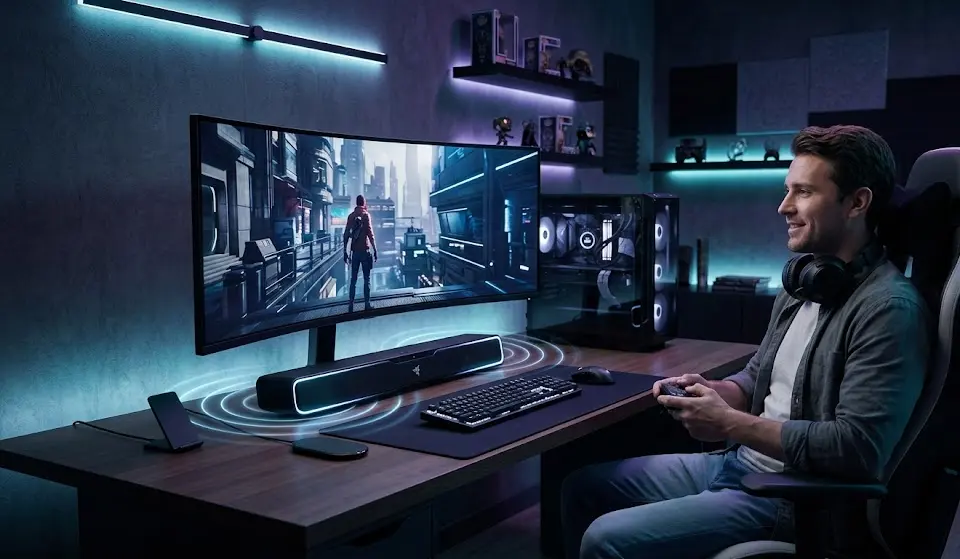
AI soundbar technology is quickly becoming the hot topic among gamers looking to boost audio immersion and positional accuracy without the hassle of wiring up a full speaker system. If you are weighing the pros and cons of AI-powered soundbars versus traditional setups or headsets for gaming in 2024, you are in the right place. This guide is built for serious PC and console gamers who want lower latency, easy setup, and next-gen audio, but don’t want endless troubleshooting or complex multi-speaker installations.
Key Takeaways
- AI soundbars for gaming combine low latency, spatial audio, and plug-and-play ease—rising fast in the market, especially below $500.
- Bluetooth audio and complex AI calibration are the most common pitfalls; for best gaming sync and surround, always connect via HDMI or USB.
- AI bars rival AVRs and out-class basic soundbars for most gamers, but die-hard competitors may still prefer headsets or full speaker rigs for true rear accuracy.
- AI Soundbars for Gaming in 2024—What’s Driving the Hype?
- Key Features That Set Smart Gaming Soundbars Apart
- Installation Step-by-Step: Getting Peak Gaming Audio
- Advanced Analysis & Common Pitfalls
- Should You Buy an AI Soundbar for Your Gaming Setup?
- AI Soundbar for Gaming FAQ
AI Soundbars for Gaming in 2024—What’s Driving the Hype?
The “AI soundbar for gaming” trend is exploding in 2024 for a reason: gamers demand both amazing spatial audio and a setup that won’t eat up half a weekend. AI-powered bars are surging because they use advanced room calibration, dynamic audio adaption, and low-latency modes—features that used to require a costly (and complex) AVR + speaker rig. The numbers don’t lie: the AI soundbar segment hit around $5.2B globally in 2024, growing at a 29.3% CAGR, with North America alone capturing $1.93B or 37.2% of revenue (source). Gaming and PC-optimized models are a huge reason for this shift: they offer real 4K/120Hz gaming passthrough, Dolby Atmos, and tight PC/console integration, all in one device.

Key Features That Set Smart Gaming Soundbars Apart
Smart gaming soundbars are not just dressed-up TV soundbars—here’s what sets them apart for gamers:
- Low-latency HDMI eARC: For gaming, you want end-to-end audio delay as low as possible. Most good gaming bars hit 20-30 ms over HDMI or USB.
- AI-based room calibration: These bars use microphones (built-in or via app) to adapt to your unique room or desk layout, adjusting EQ, delay, and virtualization for clearer cues and more accurate surround.
- Adaptive sound/game modes: Real-time content recognition toggles from “action mode” in shooters to “voice boost” for story-driven games—totally automatically.
- Genuine 3D audio and height effects: Unlike basic “virtual surround”, top models give strong height/rear cues and spatial placement, even with a single bar plus wireless sub/rears.
- Seamless PC and console integration: Many smart bars now handle USB-C audio for direct PC use, multiple HDMI 2.1 inputs for consoles, and support easy switching without menu-diving.
- Cross-platform support: Most work with PlayStation, Xbox, and PC. Some even include software to configure spatial audio for Windows outputs (great for titles supporting Dolby Atmos or DTS:X).
Premium bars like the Samsung HW-Q990D or LG S95TR, for instance, deliver eARC, 4K/120Hz gaming passthrough, and deep AI calibration—features that, just two years ago, you’d only find in a complex AVR + 7.1.4 home theater setup (source / source).
- Midrange models ($250–$500) come with adaptive sound and reliable HDMI connectivity, ideal for PCs or gaming monitors.
- Entry-level bars (best budget monitors for gaming users) often lack true AI or height virtualization but are still an upgrade from in-monitor sound.
- PC-focused models even provide built-in USB audio, making them plug-and-play for desks (AI gaming monitor users – try this with your next ultrawide setup).
Want the full spec rundown, including which bars deliver real gameplay value, not just theater thrills? See detailed side-by-sides in competitor coverage gaps below, or check reviews for actual latency measurements—almost no guides publish these numbers for PC or desk setups.
Advanced Analysis & Common Pitfalls
Even the best AI soundbar for gaming isn’t perfect. Here is what real users (and reviewers) most often struggle with:
Bluetooth Latency & Connection Pitfalls
- Bluetooth is a trap for gaming. Even with the latest codecs, expect 80+ ms delay—enough to notice actions and explosions out of sync. Always use HDMI, eARC, or USB when gaming.
- Bluetooth works for music or YouTube, not for FPS or story-driven gaming where syncing footsteps and dialogue to the screen is critical.
Calibration Frustration
- AI room calibration works—but can feel mysterious. Users report confusion over microphone placement, microphone app walkthroughs, and lack of clear feedback (“Did this actually help?”).
- Some setups demand Wi-Fi, a vendor app, and even an account sign-up just to start calibration or get firmware updates.
Compatibility & Format Issues
- PC to soundbar via HDMI is almost always reliable. But getting Dolby Atmos or DTS:X to light up from games can be inconsistent, especially with certain TVs or specific Windows settings (do not assume automatic passthrough).
- Some bars support Dolby Atmos only from TV eARC, not HDMI IN (or only with compressed Atmos, not lossless TrueHD) (source).
- Rarely covered: how calibration and soundstage adapt in a near-field (desk) setup versus a living room.
AI Feature Opacity
- Vendors rarely explain exactly what AI is doing or offer transparency on what settings are changing—leading to trust issues for competitive players who want predictable, tweakable audio.
Rear Sound Accuracy vs. True Multi-Speaker Systems
Compared to AVRs with separate rears, AI soundbars are impressive (especially for front and height placement) but still fall short if you play competitive shooters and rely on precise rear cues.
| System | Typical Audio Latency (ms) | Surround Accuracy | Setup Ease | Best Use Case |
|---|---|---|---|---|
| AI Gaming Soundbar (HDMI) | 20 – 30 ms | Excellent (front/height), Good (rear) | Plug & Play | Desk & Living Room Gaming |
| Multi-Speaker AVR Setup | 20 – 30 ms | Best Possible | Complex | Serious Home Theater/Esports |
| Gaming Headset (Wired/Dongle) | < 20 ms | Variable (Excellent for competitive cues) | Very Easy | Competitive & Streaming |
| Bluetooth Bar (Any) | > 80 ms | Fair to Poor | Easy | Media/Background Gaming |
For best results, match your use case to your upgrade tier. If you’re focused on immersive single-player or casual multiplayer, a smart gaming soundbar can boost your setup without cable chaos. Esports grinders and precision-obsessives might stick with a best surround sound headset for gaming 2026 or build a full speaker rig.
For more ways to tune your rig for comfort and clarity, see resources like best ergonomic gaming chair 2026 and best monitor light bar for eye strain—both help optimize your full gaming environment.

Should You Buy an AI Soundbar for Your Gaming Setup?
AI soundbars have made a huge leap for gamers—offering low latency, real spatial audio, and hassle-free integration for both desk and living room without the wiring nightmare. They shine for plug-and-play multi-platform setups, immersive single-player, and streamers who need both voice clarity and cinematic punch. If you value simplicity, style, and flexibility, you’ll likely be happy with a strong smart gaming soundbar below $500. Just be realistic: Bluetooth is not an option for serious gaming, and true competitive or rear-placing sound still favors either a headset or a full AVR system. If those trade-offs make sense for your budget and room, upgrading to an AI soundbar is a smart move for most modern gamers.
Ready to experience AI-enhanced gaming audio? Compare models, check full specs, and look for verified latency tests before you buy. Want more pro-grade rig upgrades? Pair your new soundbar with a programmable mechanical keyboard or precision gaming mouse for FPS to get the most from your desk setup!
AI Soundbar for Gaming FAQ
Do AI soundbars really make a difference for gaming, or is it hype?
If you play on a TV or desk and want easier setup, better dialogue, and atmosphere, AI soundbars offer substantial upgrades—especially in room correction and adaptive modes versus regular bars. The difference is less dramatic versus quality gaming headsets for pure competitive play.
What’s the biggest audio delay I should tolerate for gaming?
Stay below 30 ms end-to-end latency for shooter/RPG/competitive gaming. Only HDMI or USB (not Bluetooth) will consistently hit this mark on modern gaming soundbars.
How complicated is setup for PC and console?
Most AI bars now offer HDMI or USB-C for direct PC hookup and eARC for consoles. You’ll usually need the vendor’s app for room calibration and firmware, but the process is much easier than wiring a full speaker kit.
Can a soundbar really replace an AVR with real surround speakers?
For most gamers and streamers, the answer is yes for front/height immersion and simplicity. Dedicated multi-speaker AVRs are still best for rear cue precision or large rooms, but most casual and enthusiast gamers prefer the low-hassle soundbar route.
Will AI soundbars improve streaming or content creation audio?
Yes—adaptive sound and voice clarity enhancements can help your streams sound more polished, though you’ll still want a good external mic. Check out other streaming gear guides like best streaming webcam gaming.
