

SOCD keyboard technology has changed how competitive gamers approach input, movement, and compliance in top-tier tournaments. But is it a real upgrade, or are there hidden risks you need to know before buying? This guide gives you the real, data-backed answers for 2024.
Key Takeaways
- SOCD keyboards and snap tap features are quickly gaining traction in esports and FGC, but bring compliance and user experience challenges.
- Different brands handle SOCD logic differently, leading to inconsistent feel, input lag, and potential for tournament bans.
- Before buying, weigh regulatory risks, firmware reliability, and customizability—not just speed or market hype.
- What Are SOCD and Snap Tap Keyboards?
- 2024 Adoption Rates in Esports & the FGC
- How Do Major Keyboards Tackle SOCD? (Technical Comparison)
- User Complaints and Pain Points: The SOCD Experience
- The SOCD Controversy: Gameplay, Fairness, and Bans
- Price, Value, and Features in 2024
- What’s Missing in the Mainstream Coverage? (Expert Insight)
- Conclusion
- FAQ
What Are SOCD and Snap Tap Keyboards?
A SOCD keyboard lets you press two opposing directions at once—like left and right, or up and down—without causing stuck keys, weird movement, or banned “block” glitches in games. SOCD stands for “simultaneous opposing cardinal directions.” In snap tap keyboards, such as the Razer Snap Tap or Wooting Rappy Snappy, special logic determines which direction “wins” if both are held. That decision matters during fast counter strafing in FPS, or tight combos in fighting games.
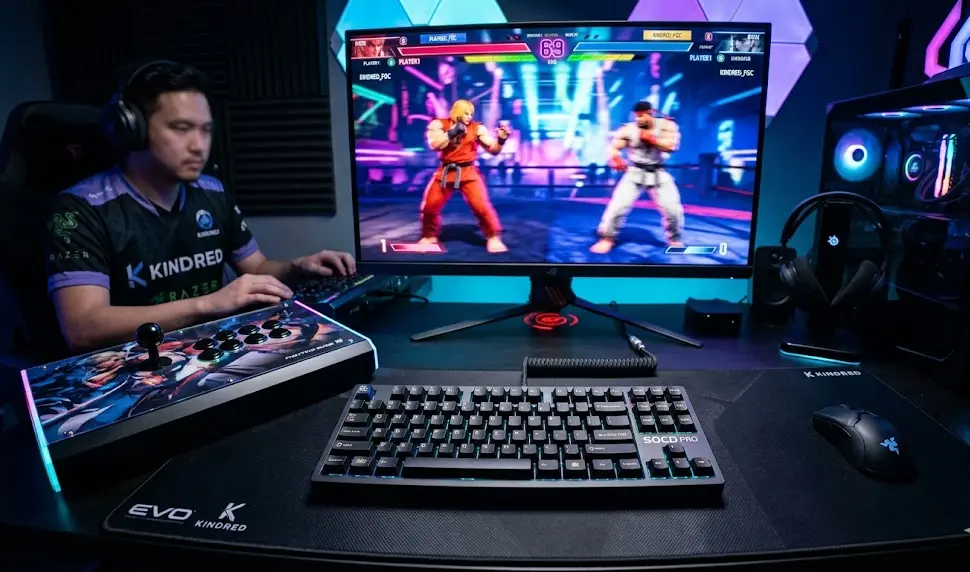
For traditional keyboards and most controllers, pressing these opposing directions usually cancels the move out—neutral input. But snap tap keyboards can prioritize the last input, deepest key press, or other advanced logic, automating and sometimes changing how a move gets triggered. For competitive players, this can mean more reliable, faster movement—if your tournament allows it.
2024 Adoption Rates in Esports & the FGC
SOCD keyboard adoption is still niche but rising fast. According to 2024 surveys, about 18% of pro-level esports players and 11% of serious FGC competitors use SOCD-cleaning or snap tap keyboards. Among these, Razer Snap Tap models hold close to 30% of the market and Wooting’s rapid-switch options (including the Rappy Snappy) have about 25%. The rest is split among SteelSeries, Corsair, and newer brands, but the overall segment is growing at roughly 9–10% year-over-year.
There’s a clear reason: SOCD keyboards solve speed and reliability issues for counter-strafing, diagonal movement, and fast input strings in games like Counter-Strike (pro tips), Street Fighter, and Tekken. However, most mainstream gaming keyboards don’t include this logic and might require workaround software or firmware updates.
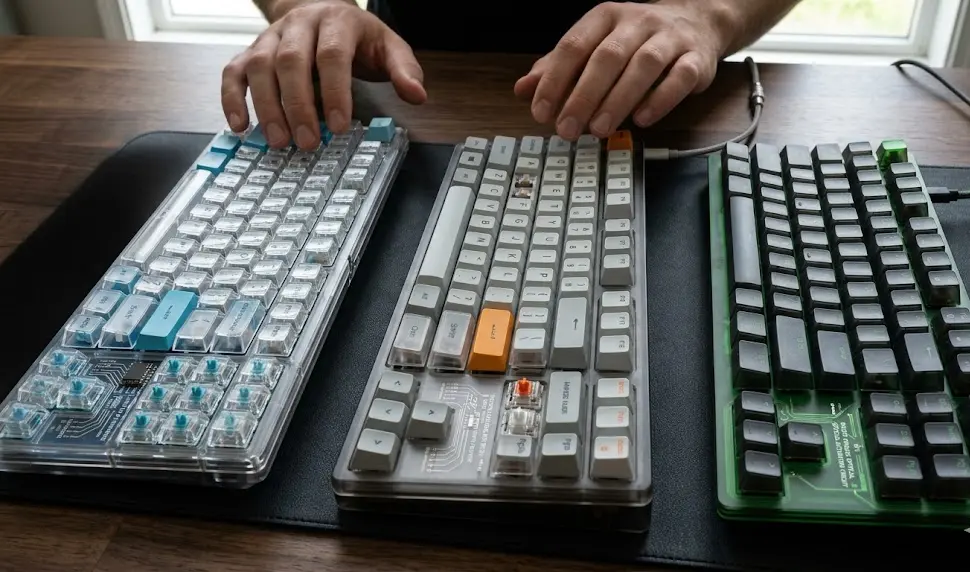
If you’re upgrading, consider not just SOCD logic but also key switch technology, such as Hall Effect sensors for even faster input and reset—these are featured in top tournament picks like the Wooting 60HE and top magnetic switch gear. For comparison, check out how programmable mechanical keyboards differ in gaming here.
- Review event/tournament compliance before upgrading your keyboard.
- Prioritize keyboards with customizable SOCD/firmware options.
- Test for comfort, key feel, and software ease in real gameplay.
How Do Major Keyboards Tackle SOCD? (Technical Comparison)
Not all snap tap keyboards do SOCD cleaning the same way. Here’s the breakdown for 2024’s main contenders:
| Model | SOCD Handling Logic | Firmware or Hardware | Known Pain Points |
|---|---|---|---|
| Razer Snap Tap | Last Input Priority (latest key takes over) | Firmware-based | Ghosting, missed input, non-compliance in some leagues |
| Wooting Rappy Snappy | Deepest Pressed Key wins | Firmware with analog key sensing | Abrupt transitions, adaptation curve, firmware quirks |
| Flash Tap Keyboard | Fixed algorithm (varies: neutral or priority) | Mostly firmware/some hardware options | Updates may introduce bugs, hard to override defaults |
The Wooting “Rappy Snappy” triggers whichever of the opposing keys is pressed deepest, making fast back-and-forth movement possible. Razer’s Snap Tap uses “last input priority,” which means if you hit ‘D’ while still holding ‘A’, you immediately move right—even if ‘A’ is still physically pressed. This can feel abrupt if you’re used to standard cancel behavior, and can introduce timing problems if the firmware lags or glitches after an update.
For players who need absolute reliability, mechanical or analog-firmware hybrid SOCD options may provide more consistency—but tend to cost more and can be cumbersome to reconfigure. Some higher-end boards like Wooting and Flash Tap offer custom SOCD profiles or hardware toggles, but these features are not universal yet.
The ability to quickly switch SOCD logic is increasingly a must-have for serious competitive play.
User Complaints and Pain Points: The SOCD Experience
Despite the speed benefits, user forums and survey data show the following recurring frustrations for snap tap keyboard users:
- Ghosting and Missed Inputs: Last input priority can fail to clear the first pressed key, sometimes resulting in no movement or “sticky” input. This especially plagues firmware-only solutions.
- Firmware Instability: Frequent updates may change how your SOCD cleaning works from patch to patch, breaking muscle memory or introducing new bugs. Some require full resets or re-calibration.
- Tournament Bans and Compliance: Valve banned SOCD logic in Counter-Strike 2 for 2024, and many tournaments require neutral “cancel” rather than prioritized inputs. Players must either switch keyboard logic on the fly or risk disqualification. See the overview here.
- Lack of Customization: Most current SOCD keyboard solutions are not easily user-adjustable. Expert users are calling for hardware-level controls or much deeper firmware customization.
If you compete in both open tournaments and league play, or switch between FPS and FGC titles, be especially careful picking your hardware. Read the latest community pain point summaries—and factor in learning curve and build ergonomics, not just specs.
Want to compare how these issues line up with other advanced keyboard features? Here’s a deep-dive on rapid trigger keyboards and their real FPS impact.
The SOCD Controversy: Gameplay, Fairness, and Bans
Ever since “simultaneous opposing cardinal directions” became a hot topic for both fighting games and FPS, debate has followed. SOCD handling originally appeared to equalize input reliability, but some see it as a shortcut that reduces the gap between skilled and casual players. Others argue that it crosses a line—giving unfair hardware-driven advantages.
In 2024, Valve’s Counter-Strike 2 outright banned all SOCD features to ensure skill—not automation—determines the winner [source]. Multiple esports leagues now prohibit rapid trigger and non-neutral SOCD handling. That’s forced manufacturers to offer toggleable firmware modes, but not all brands or boards comply equally well.
FGC tournaments like EVO, Capcom Pro Tour, and Combo Breaker differ by region and game, but most require “neutral cancel,” where pressing left and right together is read as no input, not an automated quick-turn or snap direction. For compliance, many top players keep a tournament-safe secondary board or use on-device switches.
If SOCD tech is banned at your event, make sure to practice on a compliant setup, not just your “home” board.
Price, Value, and Features in 2024
SOCD and snap tap keyboards are premium products. Expect prices of $140 to $250 for boards with advanced SOCD logic and magnetic switches, like the Wooting 60HE, Razer Huntsman Mini, or Razer Huntsman V3 Pro. The Flash Tap Keyboard sometimes appears cheaper but may lack tournament-grade firmware options out of the box.
Standard gaming mechanical keyboards usually come in much lower—$60 to $130—but lack true SOCD cleaning. While value is subjective, ask yourself:
- Does this keyboard offer hardware toggles or only firmware SOCD controls?
- Are extra features (analog actuation, RGB, custom profiles) bundled in, or paid add-ons?
- What’s the build quality like versus a comparable programmable mechanical keyboard?
Major brands often package in swappable switches, robust keycap sets, and extensive RGB, but focus on input optimization first—especially if you want to compete. If you’re outfitting a full setup, explore RGB gaming accessories or chair upgrades for the best long sessions.
What’s Missing in the Mainstream Coverage? (Expert Insight)
Most mainstream reviews and round-ups mention SOCD and snap tap features as mere checkboxes. They rarely cover the details serious players demand:
- Custom Firmware Modes: Many boards lock users into fixed SOCD logic, limiting adaptability. Advanced users want hardware-level toggles, per-profile logic, or scripting support to suit different rulesets or games.
- Hardware vs. Software SOCD Cleaning: Firmware-based SOCD logic can be disrupted by updates or bugs, while hardware-level logic is steadier but harder to upgrade or patch. Most guides don’t explain this tradeoff.
- Ergonomic and Comfort Issues: Not every SOCD keyboard is built for marathon use—some have stiffer switches or odd layouts, which can lead to fatigue. For the full ecosystem, see ergonomic gaming chair options and new tech for long sessions.
- User-Driven Needs: Feedback shows most serious gamers want DIY-friendly, compliant, and modifiable solutions—something missing from many current models, which focus more on software flash than deep adjustability.
If you’re on the hunt for next-level performance, prioritize keyboards with open or developer-friendly firmware, explicit hardware indicators, and a clear compliance roadmap for 2024–2025.
Conclusion
For esports and FGC players, the choice to upgrade to a modern SOCD keyboard comes down to more than technical specs. Consider tournament compliance, adaptability, user pain points, and firmware maturity before you invest. The most important step is to test, research, and regularly review official standards as they evolve.
If you want faster input and compliance flexibility, research every SOCD keyboard option—don’t be swayed by hype. Shop smart, read regulations, and always test new hardware before using it in a ranked or tournament setting.
Ready to dig deeper? Explore advanced switch options in our magnetic-switch keyboard guide or see how your setup stacks up with our rapid trigger deep-dive.
Bottom line? If compliance, speed, and comfort matter to your game, a well-chosen snap tap or SOCD keyboard can give you an edge—but only if you plan for the challenges ahead.
Want more tournament-ready hardware breakdowns? Bookmark our guides and get the latest insight before your next upgrade.
FAQ
What is SOCD cleaning and why does it matter?
SOCD cleaning prevents input errors when opposite directions—like left and right—are pressed at once. It stops movement glitches and gives fair, predictable inputs. In fighting games and FPS, this can mean the difference between a combo working or game-breaking block glitches.
Are SOCD keyboards legal for all tournaments?
No. Some leagues and games (including Counter-Strike 2 as of 2024) ban non-neutral SOCD logic. Always check the latest tournament rules, and use a keyboard with multiple, easily-switchable SOCD modes to stay compliant.
What’s the difference between snap tap and “neutral cancel” SOCD?
Snap tap usually means last-input-priority—whichever direction you press last takes effect. Neutral cancel means pressing left and right together results in no movement, which is often required by FGC rules for fairness.
Which brand has the best SOCD keyboard in 2024?
There’s no one-size-fits-all. Razer Snap Tap dominates in speed and market share, Wooting’s Rappy Snappy is praised for analog switches and flexibility, and Flash Tap is trusted by modders. Prioritize compliance and firmware support for your style and games.
What should I look for besides SOCD cleaning?
Check for customization (hardware toggle vs. firmware), switch tech (magnetic or Hall Effect), comfort, software ecosystem, and official support for rapid updates. Consider ergonomics and bundled features for long sessions.