

Hall effect keyboard technology is quickly changing the landscape for FPS gamers who demand the lowest possible latency, rapid trigger action, and movement precision. But are these magnetic switch models really the secret edge for competitive play, or do hidden downsides lurk beneath the hype? This deep dive cuts straight to the measurable facts, real-world feedback, and actionable guidance for serious players weighing their next gaming keyboard upgrade.
Key Takeaways
- Hall effect keyboards with magnetic switches and 8000Hz polling rates can halve input latency compared to traditional mechanical boards, offering a real 2.5–3ms speed advantage for competitive FPS gameplay.
- Rapid trigger and SOCD unlock nuanced movement and instant reset, but also introduce learning curves, accidental actuation risks, and potential compatibility issues with some games and anti-cheat systems.
- Leading Hall effect models like Wooting 60HE and Pulsar PCMK 2 HE offer deep actuation customization and high durability, but at higher price points and with a few edge-case downsides to research for your specific needs.
- What Makes Hall Effect Keyboards a Game-Changer for Competitive FPS?
- Rapid Trigger and SOCD: How Do They Actually Work—and Matter in FPS?
- Where Hall Effect Keyboards Outperform—and Where They Disappoint
- 2024 Pricing and the Best Hall Effect Keyboard Alternatives
- Rapid Trigger Comparison Table: Leading Models at a Glance
- What Competitive Reviews Overlook: SOCD and Real-World FPS Latency
- Build Quality, Durability, and Warranty—How Do Hall Effect Keyboards Stack Up?
- Conclusion
- FAQ
What Makes Hall Effect Keyboards a Game-Changer for Competitive FPS?
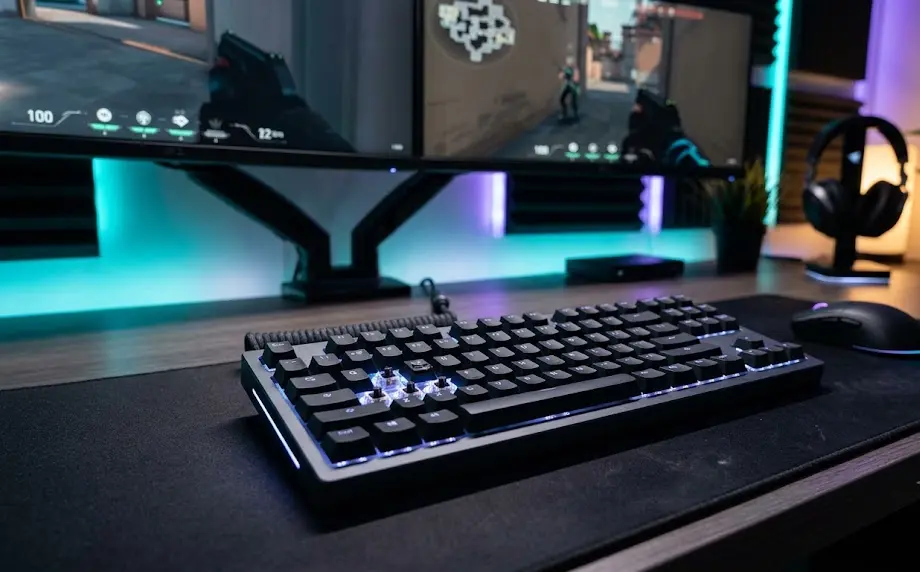
The jump from traditional mechanical switches to a magnetic switch gaming keyboard using Hall sensors is more than just a trend. For competitive FPS players, every millisecond of input latency matters. In 2024, benchmark data shows that Hall effect boards with 8000Hz polling rates hit trigger latencies as low as 0.01ms, and average total input latency lands around 3.4 to 3.5ms. That’s a solid 2.5 to 3ms faster than the 6.4–7ms seen on the fastest 1000Hz mechanical keyboards (LTT Labs).
For top-tier Valorant or CS2 players, that margin is not trivial. The faster scan rate—enabled by 8K polling—means your strafe, peek, or shot input gets to the game engine nearly instantly, reducing the gap between intent and action. Combine this with analog actuation and features like per-key rapid trigger, and you get a keyboard that’s designed for flick-fast inputs and split-second resets.
Rapid Trigger and SOCD: How Do They Actually Work—and Matter in FPS?
Rapid trigger actuation means a key will reset and re-register a new press the moment it starts its return lift—no need to wait for a full reset point as with mechanical switches. On a modern rapid trigger keyboard, you can fine-tune actuation in steps as small as 0.1mm, dialing in exactly where each key should activate. For shooters like CS2, this means counter-strafing (releasing one movement key while pressing the opposite) can be executed 20–40% faster, helping with pixel-perfect stops and shot accuracy (MKB Guide).
SOCD (Simultaneous Opposite Cardinal Direction) handling, meanwhile, determines what happens when you hit left and right (or up and down) together—which can matter for sharp peeking or “clean” movement shortcuts. The best magnetic switch gaming keyboards let you customize how SOCD is resolved: neutral, last-input-wins, or specific remaps.
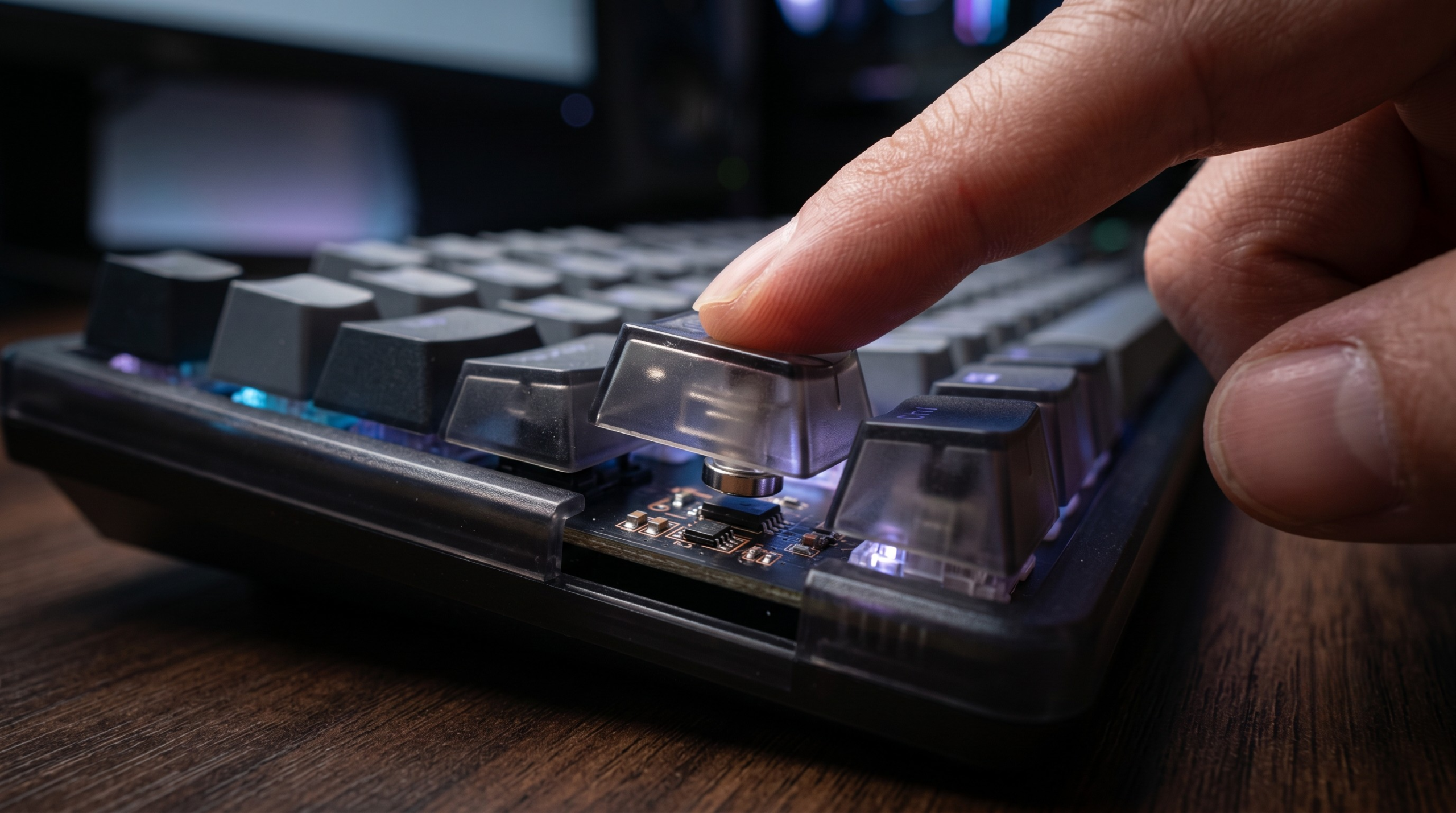
Setting per-key actuation profiles is one of the biggest differences versus even premium programmable mechanical keyboards, giving more granular control for each title or playstyle. However, not all games—and not all gaming platforms—handle SOCD or ultra-fast resets in the same way, so double-check keymaps and anti-cheat rules before enabling aggressive shortcuts.
Looking for a top-tier rapid trigger board with SOCD support? See our new Wooting 60HE review for a direct look at the keyboard that pioneered customizable rapid trigger, or the HyperX Alloy Origins Core mechanical gaming keyboard for advanced comparison.
Where Hall Effect Keyboards Outperform—and Where They Disappoint
FPS gamers jumping to a magnetic switch gaming keyboard report some unmistakable wins. The near-instant reset, smooth analog curve, and per-switch adjustment all add up to higher movement consistency at top levels of play. However, several downsides or pitfalls appear across user reviews:
- Accidental double or phantom inputs: With ultra-low actuation, some players find themselves triggering movement or shot commands unexpectedly, especially during high-intensity sessions (RK Gaming Store).
- Learning curve and muscle memory: Especially if coming from a classic tactile or “silent switch” gaming keyboard, users may need hours—or days—to get comfortable with the hyper-sensitive rapid trigger feel.
- SOCD weirdness or bans: SOCD implementations aren’t all the same, with some boards or firmware causing “neutral” or stuck states if opposite keys are pressed together. FPS games like Counter-Strike 2 or certain eSports tournaments have started flagging or outright banning rapid trigger and certain SOCD mods as unfair (GamaKay).
- Compatibility gaps: Traditional and “RGB LED keyboard” setups often have more software compatibility, macro options, or stability across gaming OS updates.
It’s worth noting: for non-FPS use like typing or general gaming, even premium mechanical boards can feel better in terms of tactile feedback and sound (Reddit feedback).

- High-Performance Magnetic Switch Keyboard: The AULA Win60 HE 60% keyboard is equipped with advanced, self-developed magn…
- Optimized for FPS Games: Designed for FPS titles like Valorant and CS2, the Win60 HE’s magnetic switches enable faster p…
- Rapid Trigger Gaming Keyboard: Featuring an ultra-low RT step distance of just 0.02mm, the Win60 HE ensures lightning-fa…
2024 Pricing and the Best Hall Effect Keyboard Alternatives
The Wooting 60HE started the rapid trigger wave, but several strong Pulsar PCMK 2 HE boards are now available in 2024, many below flagship prices. Here’s a quick look at the most popular models:
| Model | Polling Rate | Actuation Range | Average Input Latency | Rapid Trigger | Price (Q4 2024) |
|---|---|---|---|---|---|
| Wooting 60HE | 1000Hz–8000Hz | 0.1–4.0mm | ~3.5ms @ 8KHz | Yes, per-key | $175–$210 |
| Pulsar PCMK 2 HE | 8000Hz | 0.1–4.0mm | 3.4ms | Yes, deep custom | $110–$150 |
| Keychron K2 HE | 1000Hz | 0.2–3.8mm | 6.4ms | Yes | $100–$120 |
| NuPhy WH80 | 1000Hz (wired/wireless) | 0.2–3.8mm | ~7ms | Yes | $170 |
For detailed reviews and side-by-side pros/cons, see also our Razer Huntsman Mini gaming keyboard and our new Razer Huntsman V3 Pro breakdowns.
Trying to rationalize the price for a premium rapid trigger keyboard? Keep in mind overall build, bundled software, warranty, and compatibility—features like hot-swap support, analog input for sim racing, and software updates can tip the scale for value, even on higher price tags.
Rapid Trigger Comparison Table: Leading Models at a Glance
Need a quick factsheet for the top rapid trigger keyboards in 2024? Here’s how the latest Hall effect releases stack up for FPS gaming features that matter most:
| Keyboard | Actuation Distance Range | Polling Rate | Wired Latency | Rapid Trigger Customization | SOCD Configurable? |
|---|---|---|---|---|---|
| Pulsar PCMK 2 HE | 0.1–4.0mm | 8000Hz | 3.4ms | Yes, per-key | Yes (in software) |
| Keychron K2 HE | 0.2–3.8mm | 1000Hz | 6.4ms | Yes, limited | Partial |
| NuPhy WH80 | 0.2–3.8mm | 1000Hz | 7ms | Yes | Partial |
Want even more control? Upgrading your input with an precision gaming mouse unlocks additional latency gains for competitive play.
What Competitive Reviews Overlook: SOCD and Real-World FPS Latency
Many high-ranking Hall effect keyboard reviews overlook these three big issues for FPS purists:
- SOCD handling isn’t standard. Some SOCD keyboards force “neutral” when left and right are pressed together, while others use “last input wins” or allow custom remaps. Certain FPS games, especially in the eSports circuit, may reject, penalize, or ignore these states—sometimes even banning particular SOCD configurations at tournaments (MKB Guide).
- Game and OS compatibility quirks. Magnetic switch keyboards that use custom USB drivers or firmware with aggressive polling/rapid trigger modes can have trouble in less common games, on Linux, or after OS patches.
- Debounce and firmware limits. In ultra-fast rapid trigger mode, some boards still introduce debounce lag or miss inputs entirely if multiple keys are fluttered at once during intense play (LTT Labs).
This makes it vital to test your keyboard’s actual latency and SOCD resolution in your specific titles, and not just rely on spec sheet promises. As always, double-check eSports league gear policies before heading to your next tournament with a rapid trigger keyboard.
Build Quality, Durability, and Warranty—How Do Hall Effect Keyboards Stack Up?
Besides lighting-fast inputs, a Hall effect keyboard stands out for its durability. Most magnetic switch gaming keyboards are rated at 100 million+ actuations, and leading brands offer at least a two-year warranty—often better than similarly-priced mechanical boards (RTINGS). Hall-effect switches aren’t prone to the same wear that plagues mechanical contacts, and you’re less likely to see switch chatter or ghosting after years of hard play.
Build quality varies by model. Higher-end options like the Wooting 60HE, NuPhy WH80, and Razer’s analog-contenders all use reinforced PCBs and premium keycap plastics, while budget models may have simpler housings and fewer noise-dampening features. Always check for hot-swap support, bundled cable quality, and—if you’re after a perfect custom sound/feel—see if models are compatible with ceramic keycaps or silent modifications.
Conclusion
Hall effect keyboards have redefined the definition of a gaming input edge—especially for competitive FPS players focused on lower latency and smarter movement. The combination of magnetic rapid trigger, customizable SOCD, and high polling rates offers a real, measurable advantage. However, there are real-world learning curves and compatibility checks to consider. If you’re chasing every split-second for your next clutch win, a Hall effect keyboard is a top-tier choice—but only if you dive deep into the settings, test frequently, and keep up with both your game’s and league’s latest input policies.
Ready for your next upgrade? Compare the latest models and see which Hall effect keyboard matches your playstyle and goals. Don’t forget to pair it with a ergonomic gaming chair and an FPS-ready precision gaming mouse to round out your competitive setup.
FAQ
Are Hall effect keyboards really faster than premium mechanical boards for FPS gaming?
Yes, Hall effect magnetic switch keyboards with 8000Hz polling can reduce input latency from 6.5–7ms on high-end mechanicals down to as low as 3.4ms, giving a real advantage for rapid movements and instant resets.
Can rapid trigger and SOCD features get you banned in major FPS tournaments?
In some leagues and games (like Counter-Strike 2), certain rapid trigger or non-standard SOCD settings may be disallowed or flagged as unfair. Always check current tournament rules before enabling these features.
What should I set my actuation distance to for the best performance?
Start at ~1.0mm and adjust in 0.1mm steps for your main keys (like WASD). Too low can cause accidental inputs, but too high loses the rapid trigger benefits. Mix actuation per key depending on your playstyle.
Do Hall effect keyboards feel the same as high-end mechanical keyboards?
No. Many players notice a smoother but less tactile or “thocky” feel. If you crave pronounced feedback or traditional sound profiles, check mechanical options or look for models with hot-swap compatibility for different keycaps and dampers.
What’s the typical lifespan of a Hall effect keyboard switch?
Most are rated above 100 million actuations, making them more durable than most mechanical switches. Many also come with 2-year or longer manufacturer warranties.

- Full-Size Layout, Fully Upgraded – Transform your typing and gaming with the Keychron K10 HE. This 100% layout wireless …
- Tri-Mode Connectivity – Switch seamlessly between three connection modes. Pair up to three devices via Bluetooth 5.2, or…
- Launcher Web Configurator – (Please clear your browsing data—cookies and cache—before using Launcher.) Customize every k…
