

Dual mode oled monitor displays are rewriting the rules for gamers who refuse to compromise—delivering both 4K 240Hz clarity and 1080p 480Hz responsiveness in a single screen. If you’re struggling to choose between premium OLED or traditional high-refresh LCD, this 2024 guide unpacks the real trade-offs, use cases, and expert settings that separate hype from raw performance.
Key Takeaways
- Dual mode OLED monitors instantly switch between ultra-high refresh rates and true 4K HDR—filling a gap for both esports and AAA gaming in one device.
- Switching modes is often as simple as pressing a button, but the experience still demands serious GPU muscle and has some compatibility kinks.
- Burn-in, firmware quirks, and cost premiums are improving but still exist—buyers must weigh these hidden trade-offs before upgrading.
- Dual Mode OLED Monitors vs. Traditional High Refresh Rate Monitors: Technical & Real-World Differences
- Esports Pro & AAA Gamer Experiences: Switching, Compatibility, and Pain Points
- LG 32GS95UE Best Settings for 4K 240Hz and 1080p 480Hz: Real-World Impact
- Pricing & Hidden Costs: Dual Mode OLED, Tandem WOLED, and LCDs Compared
- Three Overlooked Use-Cases for Dual Mode OLED Monitors
- OLED Reliability & Burn-In in 2024: Are Concerns Still Justified?
- 2024–2025 Market Guide: Available and Upcoming Dual Mode OLED Monitors
- Conclusion
- Frequently Asked Questions
Dual Mode OLED Monitors vs. Traditional High Refresh Rate Monitors: Technical & Real-World Differences
Dual mode OLED monitors give serious PC gamers ultimate flexibility: you can switch between mind-blowing 4K HDR at 240Hz for story-driven AAA titles and a lightning-fast 1080p 480Hz mode for pure esports focus. On paper, dual refresh rate gaming monitor technology offers sub-0.05ms gray-to-gray response (often measured at 0.03ms), dramatically outpacing even the fastest Fast-IPS LCDs at 360Hz or 540Hz.
However, there’s still some motion blur—OLED’s sample-and-hold persistence creates around 4ms of blur at 240Hz, but this drops to just 2ms at 480Hz. Measured input lag is typically 1–3ms, just a touch higher than the fastest LCDs, which sometimes dip below 1ms.
Where OLED stands out is color, HDR, and black levels—true 10-bit rendering and per-pixel contrast are simply not possible on LCD, even with advanced backlights. However, OLED’s peak brightness and full-screen highlights may fall short of Mini-LEDs, and pushing 240Hz+ at 4K or 480Hz at 1080p means your GPU should be very high end—think RTX 4080/4090 class and up.
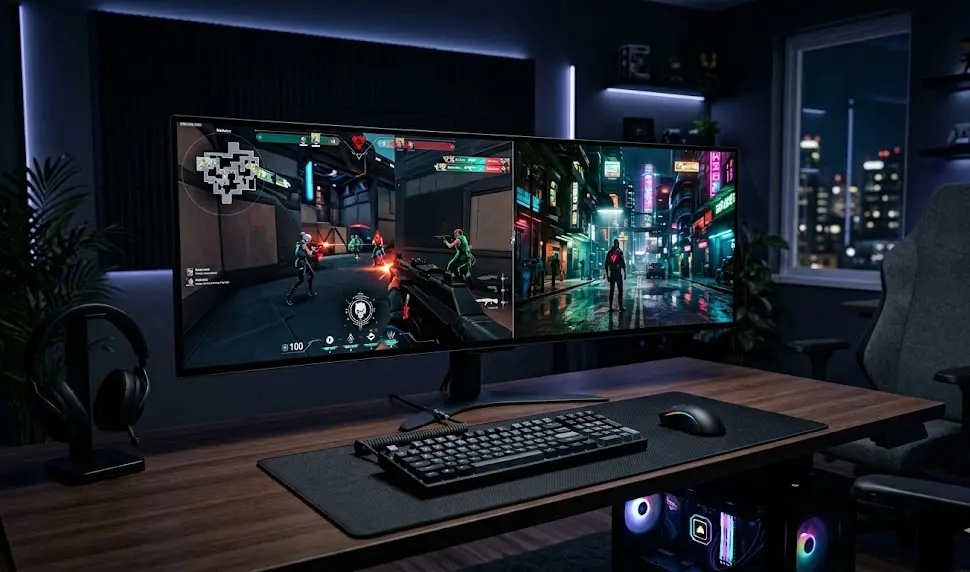
Ghosting and overshoot (artifacts where fast scenes leave visual trails) are much less prominent on OLED, as it switches pixels almost instantly. In contrast, high-refresh LCDs, even at their best, often display these flaws—making OLED a clear winner for competitive gamers seeking maximum clarity.
Curious about tuning the rest of your setup? Check out our guide to programmable mechanical keyboards for reaction-critical gaming.
Sources:
KTC Play,
Reddit OLED Gaming
Esports Pro & AAA Gamer Experiences: Switching, Compatibility, and Pain Points
Real-world users swap between dual refresh rate gaming monitor modes with a single button—no input laggy OSD menus required. Esports professionals love the 480Hz option for Val/COD/CS2, while AAA gamers soak up OLED depth in story titles at 4K 240Hz.
The user feedback isn’t all positive. Required GPU horsepower is a major pain point—powerful cards like the RTX 4090 or AMD RX 7900 XTX are necessary to consistently hit 480fps at 1080p, let alone 240Hz at 4K with settings maxed. Some early LG and ASUS models had momentary stability issues switching modes in certain titles, or left games running at the wrong refresh until a driver update. Game and driver compatibility are usually solid after the latest firmware, but you should expect rare flickers, especially in older or poorly optimized games.
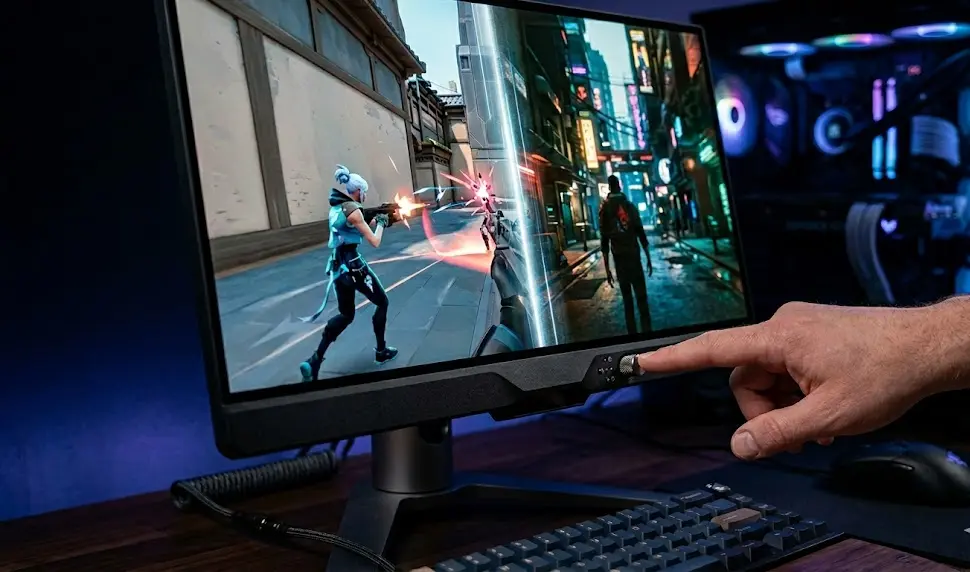
Esports pros also cite OLED burn-in as a legit concern (we cover that further down), especially from static HUD elements in titles like League or Counter-Strike. On the upside, dual mode OLED means you get both premium speed and pixel-perfect picture without buying two separate monitors—to see alternate esports setups, explore the Scorpion gaming setup inspiration gallery.
Sources:
ViewSonic Library,
Laptop Outlet Dual Mode Guide
LG 32GS95UE Best Settings for 4K 240Hz and 1080p 480Hz: Real-World Impact
You can easily optimize the LG 32GS95UE for both esports and immersive play using official presets and proven community tweaks. For best 4K 240Hz performance:
- Set input on DisplayPort 2.1 or DisplayPort 2.1 (for access to full bandwidth).
- Enable Game Mode, which reduces processing delay and disables unnecessary enhancements.
- Turn True Motion (any motion interpolation or smoothing) off.
- Use User or sRGB color preset for color-accurate AAA play; for esports, crank sharpness just slightly above default for added clarity in fast scenes.
Switching to 1080p 480Hz is near-instant but always double-check Windows display settings (sometimes you will need to manually toggle to 480Hz in Control Panel or NVIDIA/AMD panel if games are locked at lower refresh).
Recent firmware updates (M2B108-M2B110) on the 32GS95UE have almost no measurable impact on input lag—it remains 1–3ms at both performance modes. Input response, even at ultra-high refresh, is virtually indistinguishable from a traditional competitive IPS LCD by feel, but colors, contrast, and HDR depth are far superior on OLED.
If you run into visual fatigue after long marathon sessions, consider pairing your dual mode OLED with a monitor light bar for gaming.
Pricing & Hidden Costs: Dual Mode OLED, Tandem WOLED, and LCDs Compared
Be ready to pay a premium. Dual mode OLED and tandem WOLED monitors currently command up to 40% or more above the best single-mode alternatives. For context, leading models like the LG 32GS95UE, Asus PG32UCDM, or Samsung variants regularly launch at $1500–$2200, not including the mandatory GPU upgrades. Even the best traditional high refresh LCDs (like the Alienware AW2524H) can be had for 30–50% less.
| Monitor Type | Street Price (USD) | GPU Recommended | Special Considerations |
|---|---|---|---|
| Dual Mode OLED (LG 32GS95UE) | $1800–$2100 | RTX 4080/4090+, RX 7900XTX | Firmware updates improve features; needs cooling space |
| Tandem WOLED | $2000+ | RTX 4090+, upcoming generations | Improved efficiency, but even pricier |
| Premium Fast-IPS LCD | $1000–$1400 | RTX 4070+/RX 7800XT+ | Lowest raw input lag, no burn-in concerns |
Keep in mind: running dual refresh rate at ultra-high FPS puts real stress on your system. GPU and (occasionally) CPU upgrades are often a hidden but unavoidable cost if you want to enjoy the true benefit of the panel. Tandem WOLED, an upcoming advancement, improves efficiency and brightness but is expected to cost even more.
Curious if a high-end prebuilt can keep up? See our breakdown of the top pre built gaming PCs to match your next-gen display.
Sources:
MSI Gaming Monitor Guide
Three Overlooked Use-Cases for Dual Mode OLED Monitors
- Simplified Cables and Desk Space: One dual mode OLED monitor replaces two dedicated screens. Switch modes with a button instead of changing monitor inputs or re-positioning your desk.
Check out how this helps with advanced layouts in our guide for Xbox Series X monitor setups. - Future Proofing for New Standards: Most dual mode panels offer DisplayPort 2.1, HDMI 2.1, and advanced USB hubs—making them compatible with both high-end PCs and next-gen consoles.
- Productivity and Content Creation: High color accuracy and 4K resolution modes double as pro-grade screens for video editing, graphical work, or even live streaming. If you stream or create content, an OLED monitor is a legit upgrade—explore our streaming gear essentials for the rest of your desk.
This “two monitors in one chassis” concept is driving a new kind of setup minimalism that blends immersive gaming, competitive play, and productive work on one screen.
OLED Reliability & Burn-In in 2024: Are Concerns Still Justified?
Modern dual mode OLED monitors (especially LG’s latest panels) have made real progress on burn-in protections, such as pixel shifters, logo dimming, and optimized subpixel layouts. For most AAA gamers who mix up their use or don’t leave HUD/static images onscreen for days, burn-in is now a minor risk.
But: if you train for 6+ hours a day on the same interface—think MOBA/RTS or FPS grind— there’s still increased risk, notably with aggressive use of the 480Hz mode. Community and lab testing reports show issues can crop up after a year or more of “hardcore” use, particularly with white or bright static elements in the same screen location. There’s usually some safety net via panel compensation cycles, but nothing is foolproof.
Ever wondered how to combine a beautiful, healthy workspace with top-tier displays? See our biophilic gaming setup guide for ideas.
Sources:
Hardware Unboxed OLED Review
2024–2025 Market Guide: Available and Upcoming Dual Mode OLED Monitors
Here’s where the dual mode OLED market stands as of mid-2024:
- LG 32GS95UE: 32-inch, 3840×2160 @ 240Hz, 1920×1080 @ 480Hz, DisplayPort 2.1, HDMI 2.1, advanced gaming presets. Firmware M2B10+ recommended.
- ASUS PG32UCDM: 32-inch tandem WOLED, dual mode switching confirmed, release in Q4 2024.
- Samsung Odyssey G9 Dual Mode OLED (pre-announced): 32–34 inch, expected Q1 2025, focus on superwide and tandem WOLED panels.
Other brands—including Alienware and MSI—are expected to announce 4K 240Hz 1080p 480Hz OLED variants by late 2024. Look for tandem WOLED monitors touting greater panel efficiency and boosted HDR, but real world testing is pending.
Want to compare OLED to AI upscaling panels? Our detailed AI gaming monitor guide has you covered on all the newest trends.
Sources:
Blur Busters Forums
Conclusion
Dual mode OLED monitors are the first displays to finally let gamers toggle between pure esports speed and breathtaking AAA visuals at the touch of a button. While the experience is nearly seamless for most, buyers must factor in the premium cost, required GPU power, and lingering (but manageable) burn-in risk.
If you divide your time between tactical shooters and cinematic games—or want your next monitor to pull double duty for both play and work—there’s no substitute for a true dual mode oled monitor.
Ready to take the next step? Research your perfect dual mode OLED, but always check compatibility, panel settings, and your system’s power before you buy.
Looking to optimize the rest of your setup? Pair your new OLED with a monitor light bar for gaming or the latest Alienware peripherals for a truly next-level battle station.
Frequently Asked Questions
Do I need a high-end GPU for dual mode OLED monitors?
Yes, to achieve 240Hz at 4K or 480Hz at 1080p, you’ll need a top-tier GPU like an RTX 4080/4090 or Radeon 7900 XTX—and sometimes a fast CPU for competitive gaming. Lesser hardware can use these monitors but won’t unlock full refresh advantages.
How fast can I switch between modes on LG 32GS95UE or ASUS PG32UCDM?
Switching between 4K 240Hz and 1080p 480Hz is nearly instant—usually just a single button or hotkey. Occasionally, you may need to verify refresh rate settings in Windows or your GPU control panel if a game doesn’t recognize the new mode.
Is OLED burn-in still a problem in 2024?
The risk has dropped greatly due to better compensation routines, but burn-in can still happen with static HUDs and long daily play. For mixed use and AAA gaming, it’s a minor risk. For 6+ hour esports grinds on unchanging visuals, monitor carefully.
Are there any budget-friendly dual mode OLED monitors?
Not yet—dual mode OLEDs and tandem WOLED panels are premium, starting around $1800+ with early models. Cheaper alternatives are on the horizon but will likely cut brightness, connectivity, or QC. Expect lower-cost options in late 2025 or beyond.
Can I use a dual mode OLED for productivity or creator work?
Absolutely. Dual mode OLEDs are excellent for video, color-critical editing, and productivity thanks to their 4K clarity, accurate color, and wide-gamut support. Just ensure you manage brightness and run panel maintenance cycles regularly to prevent image retention.
—