

### Blog Post:
Handheld pc gaming is changing the way serious gamers play on the go, but picking the right device in 2024 takes more than comparing specs. This guide cuts through the hype and helps you choose a handheld gaming PC or set up your portable PC gaming setup based on real-world performance, battery life, and actual support—not marketing promises.
Key Takeaways
- Handheld PC gaming is still a niche market—2024 shipments dropped nearly 50% versus 2023, with the Steam Deck holding almost half the market.
- Battery life, performance, and portability are a three-way tradeoff—no device gets all three perfect. Know your playstyle before you buy.
- Most users will benefit from a few key accessories—namely a quality dock, high-wattage power bank, and SSD upgrade—for a true portable PC gaming console experience.
- Market snapshot — is handheld PC gaming a growth story or a niche?
- How to pick and set up your handheld PC gaming console
- Advanced analysis & common pitfalls: What most shoppers miss
- Conclusion: Which handheld is right for you?
- FAQ: Handheld PC Gaming in 2024
Market snapshot — is handheld PC gaming a growth story or a niche?
The surge of new handheld gaming PC launches suggests big momentum, but in reality, 2024 saw shipments fall to just 1,485,000 units—almost a 50% drop from 2023’s 2,867,000. Steam Deck took almost half the market (48%) in 2024 and, since 2022, has shipped 3.7–4 million units total.
For context, even in this “boom,” handheld PC gaming is a drop in the bucket: consoles like the Switch have sold over 137 million, while gaming PCs and laptops do upwards of $52 billion in revenue in 2024. Still, the smaller scale means you get more experimental products, but fewer guarantees on ecosystem maturity, long-term support, and reliable warranty.

What does this mean if you’re buying? You’re entering a fan-driven segment. Expect more “tinkering” and tradeoffs, but also more cutting-edge hardware that can still double as an on-the-go PC—in the right hands.
How to pick and set up your handheld PC gaming console
Here’s how to select and set up the best handheld gaming PC for your needs, balancing power, portability, games, and day-to-day use.
- Assess your use case and region
– Are you mostly playing on the couch, in airports, or want a desktop replacement? North America and Western Europe get better support and stock.
– Are Game Pass, EA, and anti-cheat multiplayer titles a must? Opt for a Windows handheld. - Compare the core models honestly
Device Perf. (vs Deck) Battery Run (AAA) Strength Best For Steam Deck OLED Base; smooth at 800p/low 2.5–4h Steam experience, best battery Indie-heavy, long sessions, minimal tweaking ROG Ally Z1 Extreme +30–70% 1–2h (1080p) Best raw perf. at cost of battery AAA junkies, Game Pass, docked play Legion Go Matches Ally 1–2h (QHD+) Biggest screen, versatile modes Docked/desktop hybrid, tablet use MSI Claw Behind Ally (driver thing) 1.5–2.5h Intel innovation, evolving Experimenters, Intel-only fans – Want something more niche or powerful? Explore Ayaneo or GPD, but expect higher prices and more DIY.
- Set power profiles and accessories right away
– Start with the manufacturer’s “Balanced” or “Power Saver.” Cap TDP for travel (10–15W is the sweet spot for battery).
– Upgrade your SSD if you install lots of big games—NVMe is much faster than microSD for both Deck and Windows handhelds.
– quality travel dock that supports video out and PD charging. - Buy only the accessories that fix pain points
- For longer sessions: 45–65W PD power bank. Critical for Ally/Legion Go where AAA runtime is just 1–2h.
- For scratch protection: Tempered glass screen protector and padded case.
- mechanical mini keyboards or compact controllers for docked use.
- SSD upgrades beat big microSD cards for performance and reliability. The Steam Deck and Ally both make it possible—just clone your OS first.
- In need of audio upgrades? Gaming headsets with surround sound add immersion for mobile gaming.
- Test everything—hard—within your first week
– Check for stick drift, dead pixels, SD slot issues, and firmware quirks. See table below in the next section.
– If you find defects, start RMA ASAP. Valve support is solid, but expect waits. Asus and Lenovo have broader coverage but patchy experiences. - Optimize your setup for your actual playing style, not specs
– Commuters and travelers: Steam Deck OLED with TDP capped + power bank = best balance.
– AAA performance: Ally Z1 Extreme or Legion Go, docked at home or with power plugged.
– Retro/emulation: Steam Deck wins with strong community guides and pre built gaming PC know-how.
– Docked hybrid: Choose a Windows device if you plan to use as a lite desktop or need eGPU support.
– On a budget: Wait for seasonal discounts, or snag a used Deck. Shipments move slow, so vendors do run sales—especially after new launches.
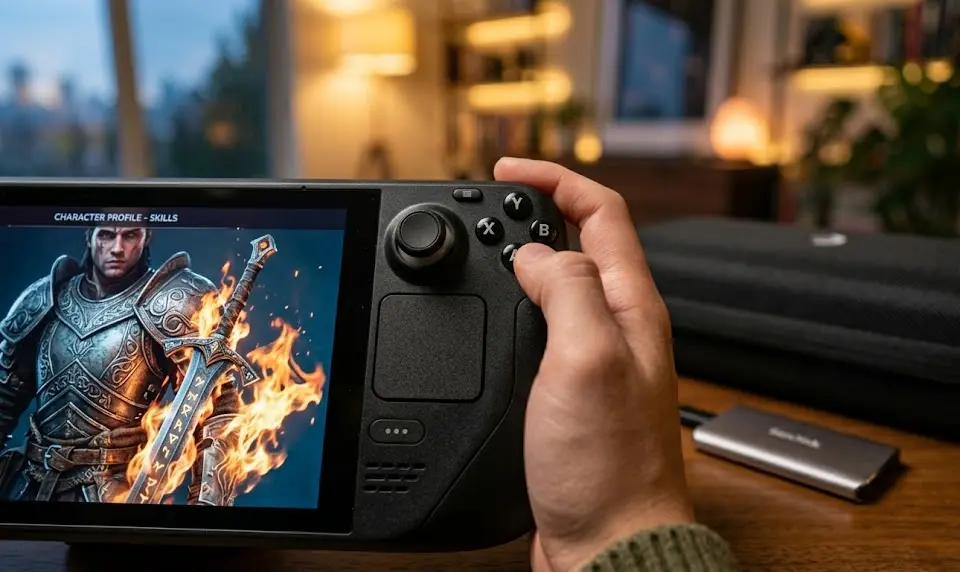
Don’t forget to consider ergonomics for long sessions—add a grip or opt for a lighter, balanced design if you travel often.
For RGB lovers or desk setups, RGB accessories and monitor light bars can extend your mobile play space at home.
Advanced analysis & common pitfalls: What most shoppers miss
Most reviews focus on launch specs. Here’s what trips up real buyers—and where to be ruthless:
Comparison table: Battery, Performance, Failures
| Device | Battery (AAA) | Performance vs Deck | Common Issues (2024) | Best Avoided If |
|---|---|---|---|---|
| Steam Deck OLED | 2.5–4 hrs | Baseline |
| You want 1080p+ or hate Linux tweaks |
| ROG Ally Z1 Extreme | 1–2 hrs (1080p, 15–25W) | +30–70% |
| You need >2hr unplugged AAA or touch-friendly OS |
| Legion Go | 1–2 hrs (QHD+) | Matches Ally |
| You want ultra-portable or travel light |
| MSI Claw A1M | 1.5–2.5 hrs | Below Ally (driver maturity) |
| You want easy, no-tinker ownership |
- Bottleneck: Battery is the biggest limiter. If you’re not near a plug or carrying a power bank, expect AAA titles to tap out in 1–2h on most devices except the Deck OLED.
- Firmware roulette: Windows-based handhelds (Ally, Legion, Claw) have regular updates—sometimes fixing, sometimes breaking, features. Set up restore points early.
- Repair and warranty: RMA is straightforward with Valve (Deck), mixed with Asus/Lenovo; repairability varies—Deck leads, while others make SSD/joystick swaps harder or unofficial.
- Device setup “tax”: Plan 2–3 hours tuning your first week. Expect to set custom power, fan, and game profiles, especially for demanding games or battery savings.
- Accessories make or break it: Many users regret cheaping out on power delivery—get 45–65W PD, and invest in a real travel dock. SSD upgrades help avoid slow eMMC/microSD bottlenecks.

What competitors rarely cover: Portability is a lifestyle—most “weight” figures skip the dock, charger, and power bank you’ll actually need. Comfort and reliability over 6+ months matter far more than top-end frame rates.
Conclusion: Which handheld is right for you?
Choosing your handheld PC gaming setup is about matching device strengths to your real-world playstyle—not chasing the “fastest” specs. Battery life and game compatibility often trump raw power, especially away from home.
If you want low-fuss, longer sessions, and mostly play indie titles or remotes, the Steam Deck OLED is the best handheld gaming PC for most. For raw performance and Windows flexibility—at the cost of battery—ROG Ally Z1 Extreme or Legion Go are strong picks, especially docked or plugged in. Don’t forget to choose the right accessories to prevent common failure points.
Looking for even more comfort? Explore ergonomic chairs for gaming or review the latest creative desk setups to optimize your play space at home.
Ready to buy? Make a quick checklist:
- Primary playstyle: travel, docked, or desktop replacement?
- Favorite services: Steam-only or need Game Pass/Battle.net?
- Battery expectation: Is 1–2h enough, or do you need 3–5h unplugged?
- Comfort with tweaking, firmware updates, and possible repairs?
For most, buying now (with selective accessories) is smart if your use case matches today’s compromises. If you rely on cloud gaming or need future-proof longevity, waiting for the next hardware cycle or deep discounts could pay off. In 2025, shipments may rebound to 1.926M—steady, but not a mainstream revolution.
Make your move: Get the right handheld pc gaming experience by matching your needs, testing early, and upgrading smart—not chasing empty hype.
FAQ: Handheld PC Gaming in 2024
Is handheld PC gaming dying or just a slow burn?
2024 saw a big drop in shipments (down almost 50% vs 2023), but with an expected partial rebound in 2025. It’s a niche, not dying—just plateauing with a dedicated user base.
Which handheld is best for long plane rides?
Steam Deck OLED or original is your safest bet—expect 2.5-4 hours of AAA play, longer for indie games. Carry a 45–65W PD power bank to extend that if possible.
What are the most common failures to check for when unboxing?
On Steam Deck: stick drift, dead pixels, SD slot issues. On ROG Ally: SD reader death, firmware glitches. On Legion Go: controller connections and display anomalies. Test all buttons, SD/microSD, WiFi, and display before your return window closes.
Can you use these handhelds as your main PC?
Yes, with caveats. Windows models like Ally/Legion can be docked and support mouse/keyboard/eGPU, but expect quirky ergonomics and the need to manage heat and updates frequently. Steam Deck can be a Linux desktop but has more compatibility limits.
What accessories actually matter for portable PC gaming?
Quality PD power bank (45–65W), sturdy travel dock, fast NVMe SSD upgrade, screen protector, and a proper case are essential. Cooling pads or grips help for long sessions, and a solid headset completes the mobile setup.
—
