

Cloud gaming pc solutions are changing how gamers play AAA titles on low-end and mid-tier hardware. If you want to stream blockbuster games on a budget laptop or outdated desktop, this guide shows exactly how the technology stacks up in 2024–2026—and what real users need to know before diving in.
Key Takeaways
- Cloud gaming PCs let low-end users stream new games without expensive upgrades—but setup and real costs can surprise newcomers.
- Solutions like airgpu, Moonlight, and Parsec each excel in different areas: latency, visual quality, or ease of use for low-spec hardware.
- Performance and experience depend heavily on server location, internet speed, and device compatibility; know the pitfalls before you start.
- Why Cloud Gaming PCs Are Gaining Traction in 2024–2026
- Comparing Top Cloud Gaming Solutions: airgpu vs Moonlight vs Competitors
- Real Setup Challenges: What Users Struggle with Most
- Performance Benchmarks: Latency, Resolution & FPS for Streaming AAA Games
- True Cost Breakdown: Subscriptions, BYO Games, and Hidden Fees (2024–2026)
- Moonlight PC Setup in 2026: Tech Requirements & Recent Changes
- The Regional Reality: Server Locations, Internet Speeds, and User Experience
- What Most Guides Miss: Winning Setups for Low-End PCs (Pro Tips)
- FAQ
Why Cloud Gaming PCs Are Gaining Traction in 2024–2026
Cloud gaming has gone mainstream. The global cloud gaming pc market was valued at about $4.9 billion in 2024, with a reported 29.8 million active users. Experts project the market could reach $237 billion by 2035—an explosive 42 percent annual growth rate, and most of that surge is fueled by gamers with lower-end or aging devices.
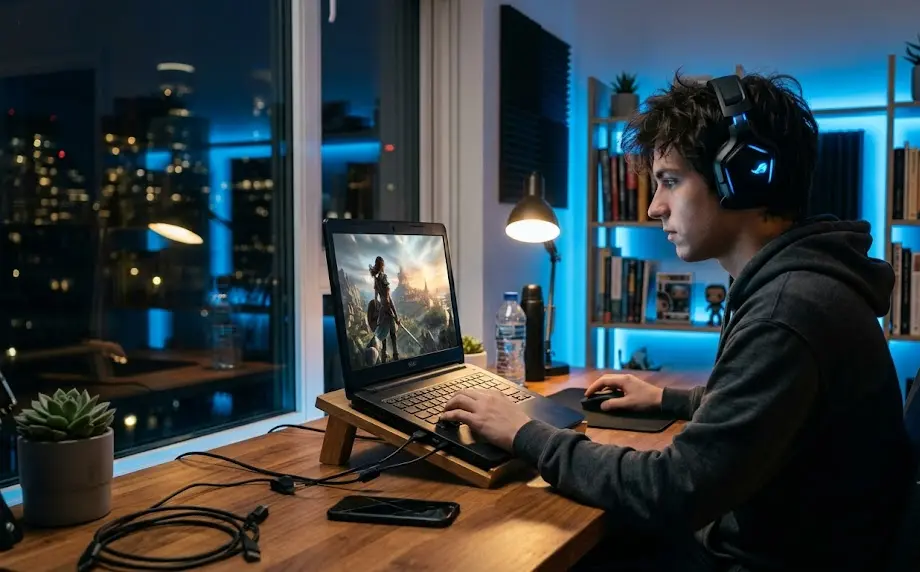
The main reason? Streaming platforms let almost any connected device play AAA titles. No more dropping $1200 on a new rig. Now you can rent or stream a virtual gaming machine that does the heavy lifting remotely.
This trend is especially visible in emerging markets—Latin America, for example, saw installs climb 8 percent in 2024 while average customer acquisition costs dropped to $0.50–$2 per install. As high-speed connections and affordable cloud services roll out worldwide, low-spec PCs and budget laptops are now fair game for top-tier titles—a true game changer for cost-conscious and mobile users.
Comparing Top Cloud Gaming Solutions: airgpu vs Moonlight vs Competitors
If you want the best cloud gaming for low end pc hardware in 2024, you’re spoilt for choice. Here’s how the top contenders compare:
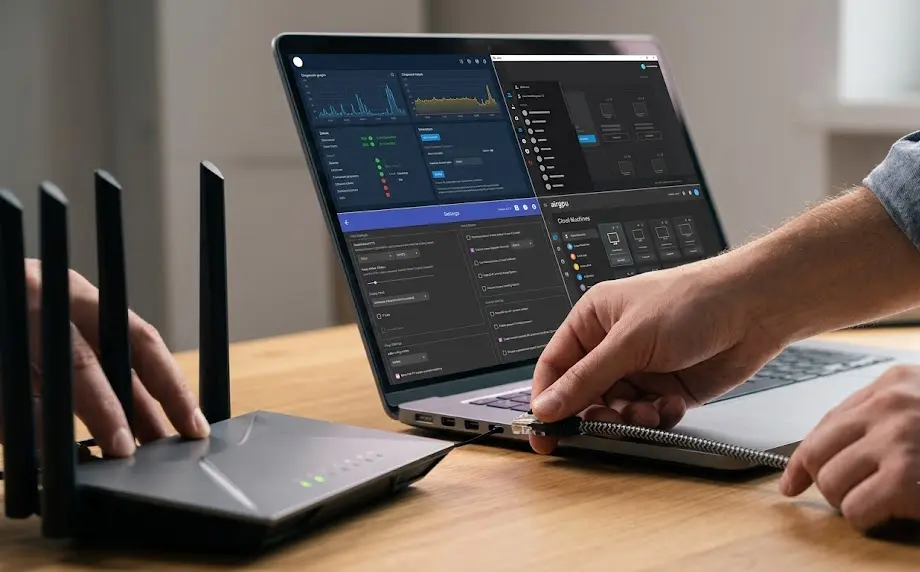
- airgpu: Rental “cloud gaming pc” service; creates a Windows PC in the cloud you can access from any device. No games included—you install your own. High performance, customizable, but self-management required. Great for power users, but can frustrate beginners.
- Moonlight / Sunshine: DIY option. Run a free host app (Sunshine) on your cloud or home PC; then stream games with Moonlight. Ultimate flexibility, but setup and networking can be a hurdle.
- Parsec: Prioritizes ultra-low latency (under 30ms on fast LAN or cloud). Bitrate capped at 50 Mbps, enough for slick 1080p60 gaming and basic 4K. The interface is easy for casual users, but less visually stunning at max settings than Moonlight.
- GeForce NOW, Xbox Cloud, and others: Commercial streaming platforms with big game libraries, fixed device support, and predictable monthly or hourly fees. Less control, but a smoother onboarding for newcomers.
Technically, Moonlight can push up to 150 Mbps and support 4:4:4, 10-bit H.265/HDR streams, making it a high-fidelity choice for enthusiasts. Parsec wins on raw input responsiveness, suiting FPS gamers or anyone sensitive to lag. If you’re looking to stream AAA games to a laptop, your final setup depends on balancing speed, image quality, and ease of use.
Want to optimize further? Check our deep-dive on precision gaming mice for FPS or explore DLSS 5 to boost frame rates with smart upscaling on your cloud rig.
Real Setup Challenges: What Users Struggle with Most
No guide is complete without revealing the downsides that frustrate budget gamers—so here’s what real-world users complain about most:
| Service | Challenge | Typical Friction Points |
|---|---|---|
| airgpu gaming setup | Self-managed Windows VM | No games bundled; must buy/install your own; Windows licensing confusion; unfamiliar remote desktop workflow |
| Moonlight pc setup 2026 | Networking & Device Support | 15–30 minute configuration; router port forwarding or VPN setup; bitrate capped by device; hardware decoder limits |
| Parsec / Commercial Platforms | Bitrate & Library Restrictions | Lower maximum image quality (50 Mbps cap in Parsec); limited library support unless you own the games; subscription tie-in |
Another common pitfall: not all low-spec machines support modern codecs like H.265/AV1 required for high-bitrate streaming. It’s not just about broadband speed—hardware video decode support can quietly bottleneck video fidelity. Be sure to check codec compatibility before committing fully to a cloud gaming setup.
- Setting up Sunshine/Moonlight may require port forwarding or VPN tunneling, which isn’t noob-friendly.
- airgpu’s hourly pricing seems cheap, but buying or migrating a full game library stacks up cost quickly.
- Some performance drops occur during peak hours or if you’re too far from the nearest data center—see “regional reality” below for details.
If you’re searching for a physical upgrade instead, our guide to budget gaming monitors covers affordable display picks for streaming comfort.
Performance Benchmarks: Latency, Resolution & FPS for Streaming AAA Games
Real-world streaming performance depends on three major things: connection quality, service limitations, and client device hardware decode capability.
- Parsec: 50 Mbps bitrate ceiling; supports up to 1080p/60fps or entry-level 4K. Latency can drop under 30ms (LAN/cloud VM close to you). Best for twitchy, competitive FPS play or fighting games.
- Moonlight: Up to 150 Mbps, 10-bit H.265, and full 4:4:4 color for beautiful 4K/HDR. Achieves crystal-clear clarity but only if your PC (and GPU/decoder) support these modes. Realistically, expect bitrates around 20 Mbps for lag-free 1080p/60fps.
- GeForce NOW / Airgpu: How high you go depends on the tier you’ve rented (e.g., RTX 3060 vs. RTX 4090 in the cloud) and server congestion. Standard plans usually target 1080p/60 or 1440p/120, with premium plans unlocking more.
Both Parsec and Moonlight add only a few milliseconds of latency versus playing locally, provided your server is near and your network stable. But on Wi-Fi, congested links, or far-flung server regions, higher latency or dynamic bitrate drops are common.
Curious about optimizing your battlefield? Pair your setup with a proper chair and mousepad to minimize physical strain during long cloud sessions.
True Cost Breakdown: Subscriptions, BYO Games, and Hidden Fees (2024–2026)
What’s the real price to stream AAA titles on your low-end hardware? It can be shockingly variable:
- airgpu gaming setup: Starts at $0.65 per hour for basic hardware, but premium specs jump higher. No games are included—you must own or purchase titles on top of your cloud fees. Windows licenses may also be needed for each VM.
- Moonlight pc setup 2026: No cost if you already have a powerful gaming PC to stream from; if using a rented or shared VM, hourly/cloud fees still apply, plus your own software licenses.
- Commercial platforms (GeForce NOW/Xbox Cloud): Fixed monthly or hourly fees. Game library may be bundled (and limited) or require separate purchases.
- Internet costs: Streaming reliably at 1080p/60fps or higher may require faster broadband plans, especially if you share bandwidth at home. Most providers recommend at least 50 Mbps down, ideally on wired Ethernet for stability.
If you want to minimize costs, check for promo codes, prepaid game bundles, or third-party key shops to cut expenses. Just don’t forget the “hidden” future cost of library migration if you switch platforms later, and factor in internet upgrade fees as well.
For a hardware-free alternative, see our reviews on AI soundbars and streaming accessories that can dramatically boost immersion even on modest setups.
Moonlight PC Setup in 2026: Tech Requirements & Recent Changes
The Moonlight pc setup 2026 workflow is still easier than it was a few years ago, but you must be aware of crucial limitations. You’ll need:
- A powerful host PC or cloud VM with Nvidia/AMD/Intel GPU enabled (for NVENC/AV1 video encode).
- Network configuration: Port forwarding on your router or VPN tunneling; often a stumbling block for apartment users or shared networks.
- Modern hardware video decoder—client PC/GPU must support H.265 or AV1, or you’ll be limited to lower bitrates/fidelity (realistically, hardware decoders often cap at around 100 Mbps even if the app claims 150 Mbps).
- Updated drivers and OS on both sides; outdated software is a frequent cause of failed or stuttering streams.
The good news: AV1 codec support is now widespread in GPUs and integrated graphics, lowering bandwidth usage and artifacting, making it even easier to get smooth 60fps streams to budget PCs or portable monitors. However, the learning curve for full host–client setup, codec troubleshooting, and security (public IP exposure) is still real for many non-technical gamers.
The Regional Reality: Server Locations, Internet Speeds, and User Experience
Your stream’s responsiveness and stability depend on much more than just your download speed. Geography truly matters in cloud gaming pc workflows:
- Latin America: Install rates up 8 percent in 2024; lower customer acquisition costs, but server density is spotty. Long-distance routing or weak peering with local ISPs can add 20–60ms extra latency, making twitch gaming harder.
- North America, EU, East Asia: Densely clustered cloud servers, hyper-fast fiber, and low-latency peering make for a much smoother experience. Premium users often get server locations within 50–250 miles for single-digit latency.
- Rural/remote regions: Even with good hardware, limited local server presence or subpar broadband infrastructure can undermine performance. Some users set up VPN “hops” to closer regions, which can help—or sometimes worsen—the problem based on routing luck.
Before you invest time (and money), check each provider’s server map and test your latency using their trial or test mode. Low-latency gaming is possible, but it is never guaranteed for every global user—set your expectations accordingly.
What Most Guides Miss: Winning Setups for Low-End PCs (Pro Tips)
Most top-ranking guides overlook the gritty tweaks that separate a good cloud experience from a frustrating one. Here are actionable, lesser-known optimization secrets every low-end user should try:
- Hardware decode limits: Check your GPU or integrated graphics max supported resolution and bitrate. AV1 is now the best balance of quality to bandwidth on new Intel UHD or AMD APUs.
- Network ports: Manually forward only the minimal required ports for Moonlight/Sunshine, or use a local VPN mesh service (like ZeroTier/Tailscale) instead of direct port mapping—safer and often simplifies setup on restrictive networks.
- Input tweaks: Disable vsync inside the streamed game, but keep it enabled on the client display; ensures snappier mouse and keyboard input. Upgrade to a lightweight wired mouse for minimal latency.
- Image adjustment: On slow connections, drop stream resolution to 720p/60fps for shooters—prioritize FPS over graphics. Leverage AV1 where supported for clean, artifact-free streams at half the bitrate of H.264.
- Custom performance profiles: Create separate settings (bitrate, FPS, encoder) for each game type—competitive shooters vs. story-driven RPGs—and switch profiles in Moonlight/Parsec as needed.
For comfort on marathon sessions, don’t neglect accessories—see our reviews of ergonomic gaming chairs for posture and add an asymmetrical monitor light bar to reduce eye strain during long streams.
FAQ
Can a low-end laptop actually run AAA games via cloud gaming?
Yes. Your device streams video from a high-end remote system, so a basic laptop or older PC can play modern titles, provided it decodes video smoothly and has a stable internet connection—ideally 50 Mbps or higher.
Do I need to buy games again for cloud gaming pc platforms?
Services like airgpu require you to bring your own games and install them on the virtual machine. Other platforms (like GeForce NOW) may bundle limited libraries or require repurchasing some games, so check the fine print.
What is the lowest latency achievable for cloud gaming?
Parsec and Moonlight can deliver latency below 30ms if your cloud server is near and network is optimal. Expect higher latency on Wi-Fi, VPN, or distant servers. For competitive play, always use Ethernet when possible.
Is AV1 better than H.264/H.265 for streaming games?
AV1 offers similar image quality at half the bitrate of H.264 or H.265. If both your host and client support it, enable AV1 for crisp streams even at modest bitrates; but check your GPU’s compatibility first.
How do I reduce lag and stutter with cloud gaming on a weak PC?
Use wired connections, close background apps, and drop resolution/bitrate until streams are stable. Optimize your router’s Quality of Service (QoS) if available, and use a server location as close to you as possible.