

### Blog Post:
Gaming setup essentials have changed dramatically for PC gamers and streamers in 2024—what you choose now impacts your comfort, performance, and long-term health just as much as your game’s framerate. Here’s a practical checklist and action plan based on real market data and honest user feedback, with clear advice for minimalists, mainstream builders, and budget-conscious gamers.
Key Takeaways
- Modern gaming setup essentials go beyond flashy lights: prioritize ergonomics, smart organization, and gear that fits your space and health needs.
- Budget and minimalist setups work, but sacrificing comfort and adjustability can lead to pain and hassles—know what trade-offs you’re making.
- Many “essentials” lists skip over overlooked heroes: cable management, surge/air quality, bias lighting, and modular accessories can transform usability and longevity.
- Why Your Gaming Setup Matters More Than Ever in 2024
- The 2024 Gaming Setup Essentials Checklist: What You Really Need
- Ergonomics and Comfort: Must-Haves Most Guides Ignore
- Cable Management, Space, and Multi-Device Organization
- Minimalist and Budget Gaming Setup Essentials: How to Choose and What You Give Up
- The Frequently Overlooked Essentials That Transform Your Gaming Room
- PC Gaming Setup Essentials: Specs and Brands That Matter in 2024
- Pro Tips for Future-Proofing and Upgrading Your Gaming Setup
- Final Checklist: Your Personalized Gaming Setup Roadmap
- FAQ: Gaming Setup Essentials
Why Your Gaming Setup Matters More Than Ever in 2024
The role of gaming setup essentials has shifted far beyond RGB lights or showpiece hardware. In 2024, quality of life—ergonomics, comfort, organization, and minimizing strain—is central to staying competitive, healthy, and enjoying your hobby. Notably, the global gaming accessories market has surged to over $13 billion in 2024 (SNS Insider), and players now expect gear that delivers comfort and multi-use flexibility, not just style.
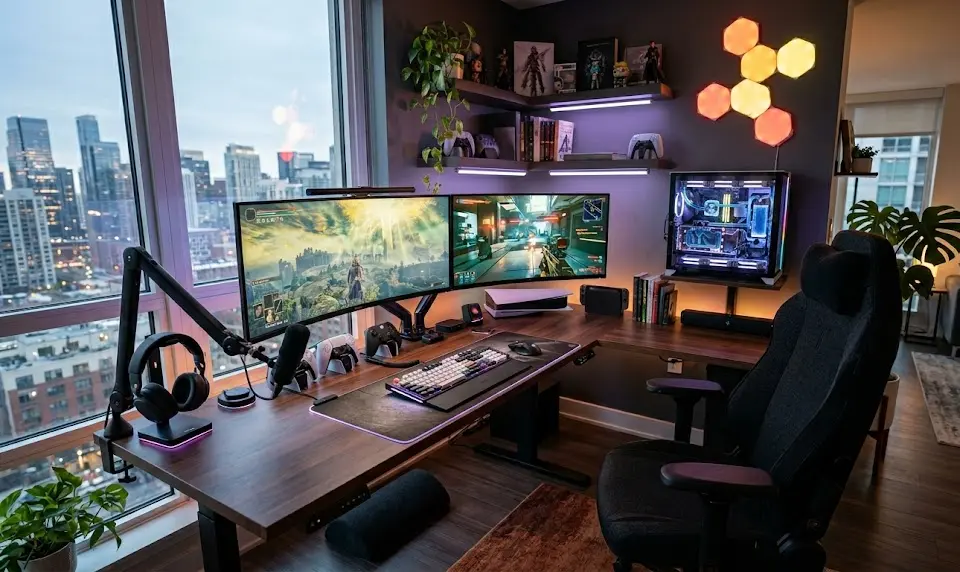
Gaming environments are doing double or triple duty as workspaces, streaming studios, and media centers. User priorities have shifted to organized, ergonomic setups that boost both play and productivity. Ignoring essentials like proper seating, desk size, and cable management leads to fatigue, injuries, and an underwhelming experience.
The 2024 Gaming Setup Essentials Checklist: What You Really Need
Building a modern, ergonomic gaming desk setup? Don’t start with RGB. Here’s what matters most, broken down by category:
- Gaming Desk: Minimum 120x70cm for single monitor, 140x70cm+ for dual monitors; stable, with at least one cable grommet and (ideally) an under-desk tray. electric sit-stand desk is a bonus for health and comfort (price range: $80–900+).
- Chair: Adjustable seat height, lumbar support, 2D/3D armrests, foam cushioning. Premium ergonomic models last longer and reduce discomfort (look for leaders like Secretlab, AndaSeat, and Herman Miller x Logitech; $100–450+).
- Monitor: 144 Hz is the standard in 2024. Size: 24–27” at 1080p or 1440p. Go for adaptive sync (FreeSync/G-SYNC Compatible) and low input lag. Top brands: ASUS, LG, Alienware (priced $150–700).
- Peripherals: Low-latency, reliable mouse and keyboard (mechanical preferred), quality headset with mic, or external mic for streamers. Check out our programmable mechanical keyboard and best surround sound headset guides for trending gear options.
- Organization & Power: surge-protected power strip, Velcro cable ties, and a basic desk drawer or organizer keep everything clean and safe.
“Typical 2024 price corridors: Gaming chair $100–450, monitor $150–700, desk $80–900+; brands like Secretlab, Logitech, ASUS dominate the category.”
Other silent upgrades: swap out the stock wheels on budget rolling chairs for rollerblade-style casters to protect floors and glide smoother. Consider a small under-desk drawer for controllers, SD cards, and stray USB drives.
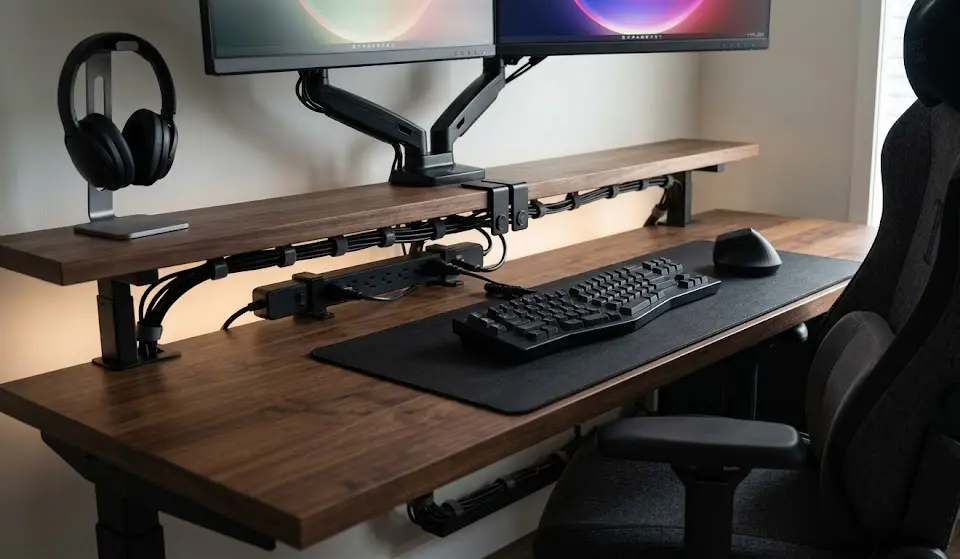
To learn more about how RGB gear can fit seamlessly and practically into your gaming desk setup, check out our RGB gaming accessories guide.
Ergonomics and Comfort: Must-Haves Most Guides Ignore
Most “gaming setup essentials” guides rush past ergonomics, but this is where discomfort and injuries quietly build up over time. Research and user feedback repeatedly flag:
- Desk Height: Standard fixed desks often sit too high or low, especially for shorter/taller users. Target 72–76cm for most users, or use an adjustable frame.
- Monitor Arm or Stand: Avoid neck pain—your monitor’s top edge should sit just below your eyes while looking straight ahead. Monitor Arms unlock correct position and desk space (must-have for dual monitors).
- Chair Adjustability: Armrests should reach your desktop (or slightly below), and lumbar support should match your back’s curve. Racing style = aesthetics, not always comfort.
- Footrest: Underrated but essential if your feet don’t rest flat or you need pressure relief—easy fix for under $40.
- Proper Lighting: Good light prevents eyestrain and headaches—aim for a bright but indirect task lamp; consider a monitor light bar (best monitor light bar for eye strain).
“User feedback highlights recurring pain points around neck/back/wrist strain from poor ergonomic choices, especially with non-adjustable chairs and improper monitor placement.”
It’s not just about checking boxes. Prioritize adjustability, not just looks—true for both budget and premium upgrades. If you want next-level comfort at lower cost, look for our guide to the best ergonomic gaming chair.
Cable Management, Space, and Multi-Device Organization
Messy cables, cramped desks, and multi-device setups plague most gaming rooms. Pain points regularly flagged by users:
- No under-desk cable trays/troughs, forcing you to buy after-market options.
- Cable pass-throughs (grommets) often placed awkwardly, not where monitors/PCs actually sit.
- Desk depth under 70cm leaves monitors too close to your eyes and arms cramped for keyboard/mouse maneuvering.
- PC, console, and streaming gear fight for both power and port access—creating clutter, risks, and disruption.
For a neat setup:
- Mount a surge-protected strip under your desk (not on top).
- Use Velcro/reusable ties and adhesive cable clips (but beware: many go cheap and fall off—screw-in trays are better).
- Monitor Arms free space and let you reclaim precious desk real estate. Crucial for multi-monitor or ultra-wide displays.
- Consider stackable or rolling drawers for quick-access storage.
If you’re adding streaming gear or multiple devices, consider a KVM switch or a multi-input monitor. For specialized streaming setups, check our live streaming gaming gear guide.
Minimalist and Budget Gaming Setup Essentials: How to Choose and What You Give Up
You don’t need to spend $5,000 for a great gaming experience. Minimalist and budget setups are absolutely viable—but here’s what you’re trading off:
| Feature | Budget/Minimalist | Premium |
|---|---|---|
| Desk | Fixed MDF, minimal cable features | Large sit-stand, integrated cable trays/grommets |
| Chair | Basic office/gaming chair, limited adjustment | Full ergonomic adjustability, premium materials |
| Monitor | 1080p 60–144Hz, basic stand | 1440p/4K, 144–240Hz, fully adjustable |
| Peripherals | Entry-level keyboard/mouse, simple headset | Flagship wireless, hot-swap, surround sound |
| Organization | Few extras, cable clutter likely | Monitor arms, drawers, RGB/task lighting |
“Budget setups often sacrifice adjustability, durability, and ergonomic support for a lower upfront cost; premium options deliver better comfort and organizational features but at a significantly higher investment.”
The main pain points with budget/minimalist setups: more visible cable mess, basic chairs that flatten or squeak after six months, and desks that wobble with every movement. If you pick right, you can avoid much of this, but comfort is where you’ll feel the difference most.
Still, minimalist builds can be gorgeous and practical—feel free to mix mid-range main items with budget extras; just don’t skip the features that matter most for your body and sanity.
The Frequently Overlooked Essentials That Transform Your Gaming Room
Some essentials don’t get the spotlight but deliver massive impact. Based on expert advice and user feedback:
- Bias Lighting: LED strip or monitor backlight reduces eye strain in dim rooms. Highly recommended for night gamers. See our monitor light bar gaming article for practical recommendations.
- Surge Protector/UPS: Shields all your gear from power spikes; a $40 investment can save you thousands.
- Footrest: Fixes leg fatigue for almost any fixed-height desk (also helps shorter users reach the floor).
- Anti-Fatigue Mat: If you use a standing desk, this is a must to reduce joint strain.
- Air Quality and Cooling: Dust kills PCs and escalates noise; consider an air purifier (bonus for allergies).
- Acoustic Controls: Hang curtains, add a rug, or mount a few foam panels if your room has echo—your ears (and stream viewers) will thank you.
- Storage: Hidden drawers, wall hooks, or stackable bins to control clutter from game cases, controllers, and random cables.
“Overlooked items like bias lighting, surge protection, and anti-fatigue mats are praised by users for reducing eye strain, preventing equipment damage, and enhancing comfort—gaps rarely covered in top-ranking guides.” See sources at Market.us and Business Research Insights.
Tip: Many health-conscious gamers use break timers or posture apps to stay pain-free over long sessions. Don’t overlook small ergonomic upgrades like a gaming pillow for chair, either—they’re often a game-changer for minimal investment!
PC Gaming Setup Essentials: Specs and Brands That Matter in 2024
If you’re getting granular with your shopping list, here are widely recommended minimum specs and brands for the best value:
- Desk: 120x70cm minimum (go larger if space allows), sturdy frame, at least one grommet, sit-stand range 60–125cm for highlights.
- Chair: Adjustable height, lumbar support, 2D armrests, tilt/recline. Secretlab, DXRacer, Herman Miller x Logitech, and Steelcase lead reviews for comfort and durability.
- Monitor: 144 Hz refresh, 24–27” at 1080p or 1440p. Go with ASUS, Alienware, LG, or Samsung for reliable panels. Check best monitor for xbox series x and best budget monitors for gaming for top picks right now.
- Keyboard: Full n-key rollover, responsive switches, and a layout that matches your desk space. See the trending HyperX Alloy Origins Core mechanical gaming keyboard and Razer Huntsman Mini.
- Mouse: >=8,000 DPI, polling rate 1,000 Hz, focus on comfort. Consider best ergonomic gaming mouse.
- Audio: Closed-back headset or stereo speakers; look for virtual surround or dedicated USB mics if you stream (best surround sound headset for gaming).
These specs align with advice from Coherent Market Insights and Mintel—keep an eye on refresh rate and adjustability if you want true “future proofing.”
Pro Tips for Future-Proofing and Upgrading Your Gaming Setup
Most “essentials” articles ignore long-term modularity and future upgrades—yet a few smart choices now prevent expensive, complex overhauls later.
- VESA Monitor Mounts: Let you easily add arms or swap displays without buying a new desk.
- Modular Desks: Choose desks that accept bolt-on trays, drawers, or power rails. Upgrades are cheaper than starting from scratch.
- Hot-swap Keyboards & Modular Mice: Let you upgrade switches, feet, or batteries without replacing the whole device.
- Expandable Cable Management: Leave slack in cables and use generously sized trays; multiple power strips prevent overloads as you add gear.
- Smart Power Planning: Use surge protectors with extra outlets and, for dense setups, check circuit loads to prevent tripping breakers.
Planning for upgradability is a top reason premium setups feel “fresh” years later, while budget builds can feel cramped or outdated fast. Don’t ignore modularity at the start—flexibility extends your investments dramatically.
Final Checklist: Your Personalized Gaming Setup Roadmap
Here’s a practical, research-backed checklist for dialing in your gaming desk setup essentials—adapt for your space, budget, and style in 2024:
- Inventory your existing gear. What’s actually causing pain, mess, or hassles?
- Prioritize desk width/depth (>=120x70cm), chair ergonomic features, and monitor height adjustment first—they impact you all session long.
- Add organization: under-desk cable tray, surge protector, and at least one easy-access storage drawer or organizer.
- Check ergonomic add-ons: monitor arm, footrest, bias lighting, task lamp.
- If budget is tight: focus on core comfort and reliability (desk stability, chair adjustability), and skip premium extras until you can justify them with real use/need.
- Keep future upgrades in mind—modular desks, VESA mounting, hot-swap peripherals, and expandable cable management will save money over time.
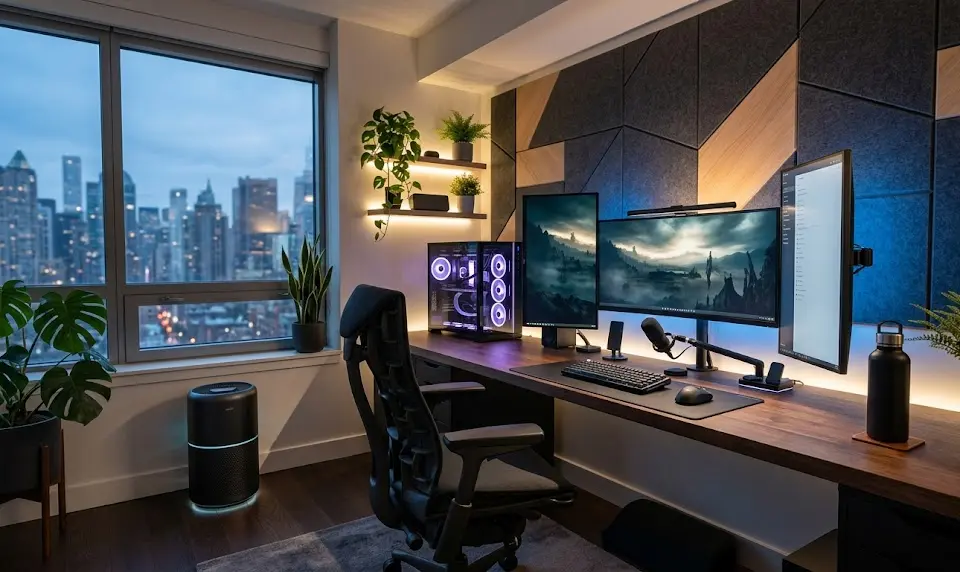
“U.S. gamers now prioritize setups that balance ease of use, comfort, and multi-functionality over chasing maximum visual fidelity.” (Mintel)
FAQ: Gaming Setup Essentials
Is a standing desk worth it for a gaming setup?
Standing desks are useful for mixing up your posture and reducing back discomfort during long sessions. If you sit for more than 4 hours a day, an electric sit-stand desk is worth considering, but it does add cost and requires careful cable management.
How important is monitor refresh rate for gaming in 2024?
For competitive gaming and a smooth experience, 144 Hz is now considered the standard. If you play mostly story-driven or slower games (or on a tight budget), 60 Hz is usable but less immersive.
What is the biggest mistake people make with gaming desk setups?
Ignoring ergonomics—choosing style over substance. Common mistakes are using a chair without real lumbar support or keeping the monitor too low, causing neck/shoulder strain.
Are expensive ergonomic chairs really worth the investment?
If you use your setup daily for hours, yes. Higher-end chairs offer better adjustability, build quality, and health outcomes over time. But if your sessions are short, a mid-range chair with some ergonomic features is often enough.
How can I improve cable management without drilling into my desk?
Use adhesive cable trays (with strong tape), Velcro ties, and desk mat cable organizers. Screw-in options are more durable, but quality adhesive trays and cable sleeves work for renter-friendly or minimalist setups.
