

### Blog Post:
gaming sleeve options aren’t just gamer fashion—they’re a real, tested solution for FPS players who want predictable mouse glide for every round, every hour. Inconsistent arm friction from sweat, hair, and humidity can throw off muscle memory on aim-intensive shooters. If you play long, sweaty sessions on cloth pads and notice your micro-adjusts getting shaky, this is the unbiased, data-driven guide to choosing a gaming sleeve that actually delivers—not just one that looks good on camera.
Key Takeaways
- Gaming sleeves reduce sweat friction and make mouse glide more consistent for long FPS or esports sessions, especially for low-sens players on cloth pads.
- Material blend, level of compression, seam placement, and pad–sleeve interaction are far more important than logos, colors, or influencer branding.
- No peer-reviewed studies show direct performance boosts—but consistent comfort, friction, and reduced skin irritation are well supported by pro testimonials.
- Why a gaming sleeve can matter for FPS consistency
- Step-by-step guide: Selecting and testing your gaming sleeve
- Advanced analysis & common pitfalls
- Conclusion: Should you get a gaming sleeve?
- FAQ: Gaming Sleeve for Mouse Arm
Why a gaming sleeve can matter for FPS consistency
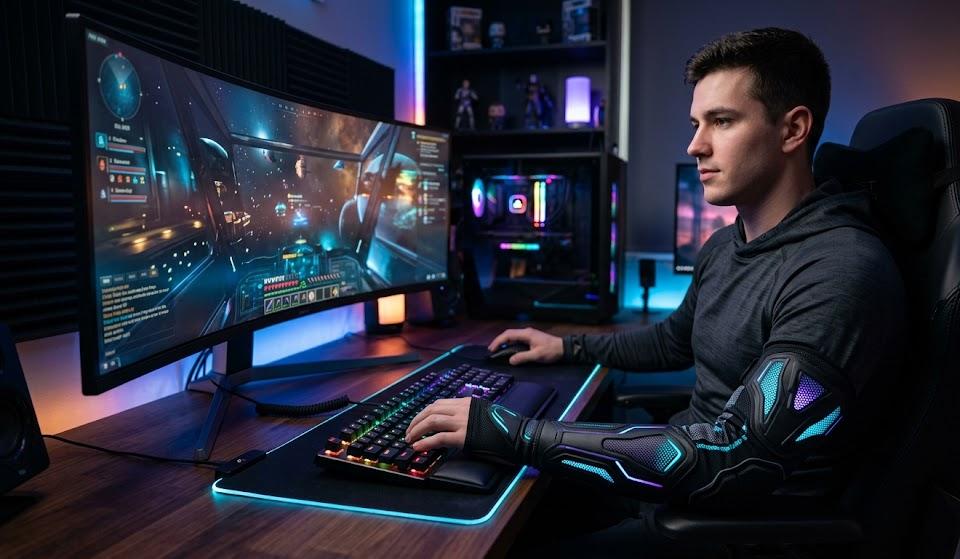
For competitive FPS and esports players, the real enemy isn’t always input lag—it’s unpredictable friction from your bare arm on a cloth pad. Sweat, arm hair, skin oils, dry air, or the wrong micro-texture can make each flick or micro-adjust slightly different. A gaming sleeve (or gamer arm sleeve) works by creating a smooth, repeatable surface between your forearm and the mousepad. That means, regardless of how sweaty, hairy, or humid things get, your glide and stopping power stay much more stable over hours of play.
Data from gaming communities and reviews show sleeves are now a mainstream niche for FPS players who want to minimize sweat friction and maximize glide consistency during sessions of three to eight hours or more. This is most urgent for players relying on forearm contact (low-sens, low-DPI) and aim-trainer users grinding micro-aim routines. While a gaming sleeve won’t directly “boost your aim,” its benefit is indirect: better consistency, less skin abrasion, and comfort that lets you focus on actual performance.
Step-by-step guide: Selecting and testing your gaming sleeve
Here’s how to choose, size, and actually test a gaming sleeve for mouse arm performance, not just looks:
- Measure your forearm and biceps at their widest points. Compare measurements to the brand’s size chart—be wary: user complaints show sizing charts often run small or ignore arm shape, forcing many to size up or down.
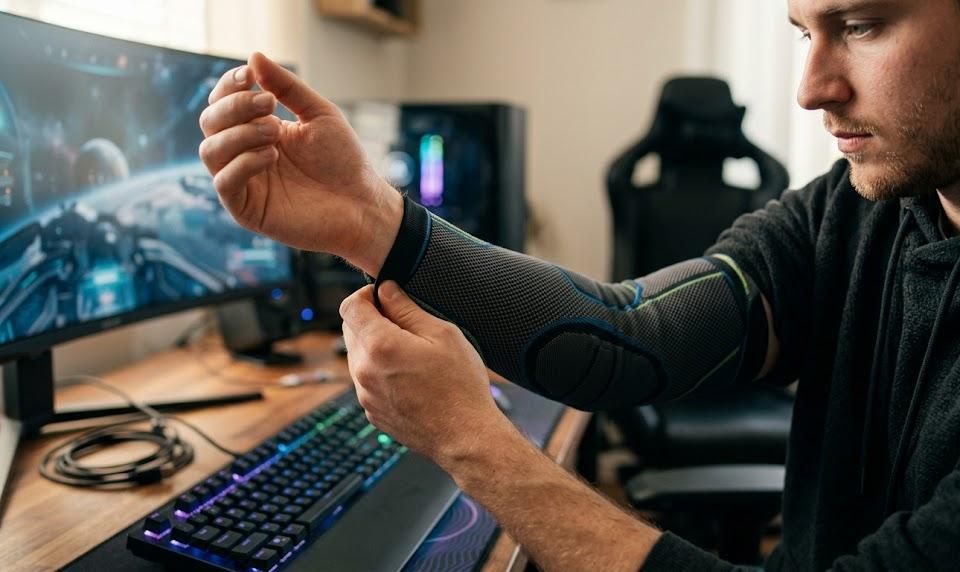
- Choose the right material blend and surface. The best compression sleeve for gaming uses 80–90% polyester or nylon with 10–20% elastane (spandex). Look for a smooth, tightly woven exterior (not cotton or fuzzy blends). Avoid 100% cotton or overly thick synthetics, as they trap sweat and stutter on pads.
- Pick moderate compression only. For an FPS gaming arm sleeve, moderate compression keeps the fabric taut for a uniform contact patch, lowers risk of wrinkles, and is less likely to cut circulation or cause heat buildup than high-compression sleeves. Avoid very loose sleeves—they slide and bunch up, breaking glide consistency. Most “one size fits all” options don’t work for competitive FPS.
- Check anti-slip band features and seam locations. Order only if the sleeve has a high-quality anti-slip band (not just loose elastic) and flatlock seams that won’t catch on your pad. Inspect for seam bulk and tag placements—raised seams can get in the way during micro-adjustments.
- Test pad–sleeve interaction over time. Try the sleeve “fresh” and after 2–4 hours on your actual mousepad—both when dry and sweaty. Does glide feel stable after your skin gets damp? Test across all your pad types: control, speed, hybrid, glass.
- Follow proven care routines. Machine wash the sleeve cold or warm (30–40°C) in a mesh bag, avoid bleach or softener, and air dry after sessions to keep compression and smooth surface intact.
For even deeper setup gains, combine the right sleeve with upgrades like a programmable mechanical keyboard, gaming headset with surround sound, and ergonomic gaming chair—all of which can further stabilize mechanics and comfort in marathon sessions.
Testing Protocol: Glide Consistency Matters Most
- Test with multiple pads (textured cloth, coated/speed, hybrid, glass).
- Simulate a sweaty arm (long session or dampen slightly) and glide in repeated circles and quick stops.
- Notice whether the sleeve “grabs,” wrinkles, or slides after an hour or more.
- If possible, use a digital force meter or weighted mouse for more objective friction readings.
Adjust or replace if you feel new friction spikes or the fabric starts to peel, pill, or lose elasticity within weeks.
Advanced analysis & common pitfalls
Most first-time buyers make at least one of these mistakes—here’s how to avoid wasting cash and time.
1. Fit, Slippage, and Compression Headaches
- Too tight: Causes numbness, pressure marks, or circulation discomfort.
- Too loose: Slides down, forms micro-wrinkles, or rotates so seams catch on your pad.
- One-size-fits-all: Usually does not work for people with atypical arm shapes—always look for multiple size options.
2. Heat, Breathability, and Odor
- Cotton or thick sleeves get clammy and sticky, especially beyond two hours.
- Non-breathable synthetics trap both sweat and heat—especially bad in regions without good AC.
- Fabrics that retain odor after one or two sweaty sessions can quickly become unusable.
3. Friction and Mousepad Compatibility
- Some gaming sleeves add too much drag on certain mousepads—if it feels draggy on your control pad, it won’t magically get better mid-match.
- Seams placed under the forearm or wrist edge can snag, wrecking aim consistency. Always inspect seam locations.
- Pad–sleeve friction can change during a session—some sleeves become stickier as sweat soaks in.
| Issue | What to Check | How to Test |
|---|---|---|
| Slippage | Anti-slip cuffs, circumference fit | Rubber/silicone bands that stay put during 2+ hours of use |
| Heat/Clamminess | Breathable zones, mesh panels | Long session sweat test—if it feels clammy after 1 hour, pass |
| Pilling & Wear | Smooth exterior knit, wash instructions | Run a fingernail along the outside; cheap knits snag fast |
| Sizing Inconsistency | Brand sizing charts, returns policy | Order two close sizes if unsure—return one after fit test |
User complaints confirm: “Frequent complaints: sleeves too tight/too loose, sliding down, heat buildup, pilling/stitch failures, and skin irritation.” If you want an extra edge, review friction stability after repeated washing—many sleeves lose surface smoothness quickly, requiring more frequent replacement than, say, a ergonomic gaming mouse or RGB gaming accessories.
For supporting evidence about the gaming sleeve’s growing role, consider that the global gaming peripheral market is projected to hit USD 11.55 billion by 2030, with performance wear like esports arm sleeves bought by those optimizing for every detail. Actual performance studies are lacking (Mintel, 2024), but pro testimonials confirm the comfort and consistency benefits.
Conclusion: Should you get a gaming sleeve?
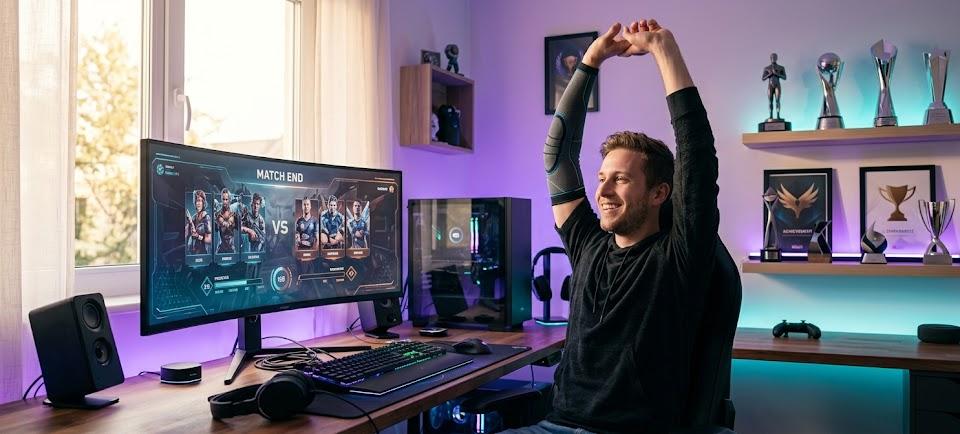
If friction variability or forearm abrasion hold you back in long FPS or esports sessions, a gaming sleeve for mouse arm use is almost always a smart gear upgrade—if you pick one with proper fit and material. The key is to focus on measurable, session-proven specs: moderate compression, smooth-knit polyester/nylon blends, quality anti-slip cuffs, breathable zones, and a warranty or return policy in the USD 12–35 range. Ignore influencer hype and check pad–sleeve performance after hours, not just minutes.
Ready to upgrade your consistency and comfort? Measure, test, and add the right gaming sleeve to your loadout—not for flashy looks, but for relentless smooth control.
Want to fine-tune your entire setup? See our advanced guides on the best monitor light bar for gaming, gaming pillow for chair, and more for maximum performance.
FAQ: Gaming Sleeve for Mouse Arm
Are gaming sleeves legal in esports tournaments?
Yes—esports arm sleeves are widely allowed in online and LAN FPS tournaments, as long as they don’t hide input devices or contain banned substances. Most events see them as personal gear like mousepads or headphones.
How long does a gaming sleeve last with daily use?
With good maintenance (mesh bag wash, air dry), expect 6–12 months of consistent use before losing compression or surface smoothness—less if you play very long, sweaty sessions each day.
Does a gaming sleeve improve aim for all mousepad types?
No. Some sleeves work better on rough cloth or hybrid pads and can feel too slick on speed/glass pads. Always test interaction with your actual mousepad before committing to a brand or replacing your setup.
Can I use a sports or medical arm sleeve instead?
Generic sports/compression sleeves can work for mouse arm use, but look for the same must-have features: smooth exterior, no bulky seams, moderate compression, and sizing made for forearms.
How should I wash and care for my gaming sleeve?
Machine wash cold or warm (30–40°C) in a mesh laundry bag, avoid bleach or softeners, and air dry flat—never tumble dry. Rotate between pairs for longer lifespan and more consistent performance.
