

Steam Frame is Valve’s upcoming standalone headset aimed at eliminating PCVR setup frustrations by letting you access your full Steam library—VR or flat games—natively and wirelessly via robust PC streaming. This article delivers a gut-check look at how the device performs today, what users like Alex (tech-forward PC gamer, VR familiar but cable-averse) can expect on day one, and clear bottom-line guidance on whether it’s worth preordering or waiting for reviews.
Key Takeaways
- Steam Frame brings premium standalone and flawless PC-based VR into a single modular, cable-free headset—battery life, streaming dependence, and game compatibility are the main tradeoffs.
- Performance excels with a strong PC via streaming, but native gameplay is realistically limited to lighter VR and Android/2D Steam titles—don’t expect it to replace a desktop GPU for AAA VR.
- Those with mid/high-end PCs, a VR appetite, and patience for early quirks may find Steam Frame worth a waitlist; budget-sensitive or new VR buyers should watch reviews after the price is confirmed.
- Quick snapshot — What the Steam Frame is and why it matters
- Steam Frame specs at a glance (what matters to buyers)
- Visuals & optics — image quality, FOV, refresh, and what to expect
- Tracking, controllers, and audio — daily use & multiplayer
- The streaming‑first architecture explained (how PC streaming works)
- Standalone performance — realistic expectations for native VR on the SoC
- Battery life, weight, and comfort — session planning
- Compatibility with Steam library, Proton, and non‑Steam apps
- Release timing, regions, and pricing — what we know and what’s still TBC
- How Steam Frame stacks up vs 2024 competitors (cost & value comparison)
- Early tester complaints & common concerns (real user pain points)
- Underreported strategic angles (unique insights to emphasize)
- Features and extensions that would make Steam Frame a must‑buy
- Bottom line recommendation and buying scenarios
- FAQ
Quick snapshot — What the Steam Frame is and why it matters
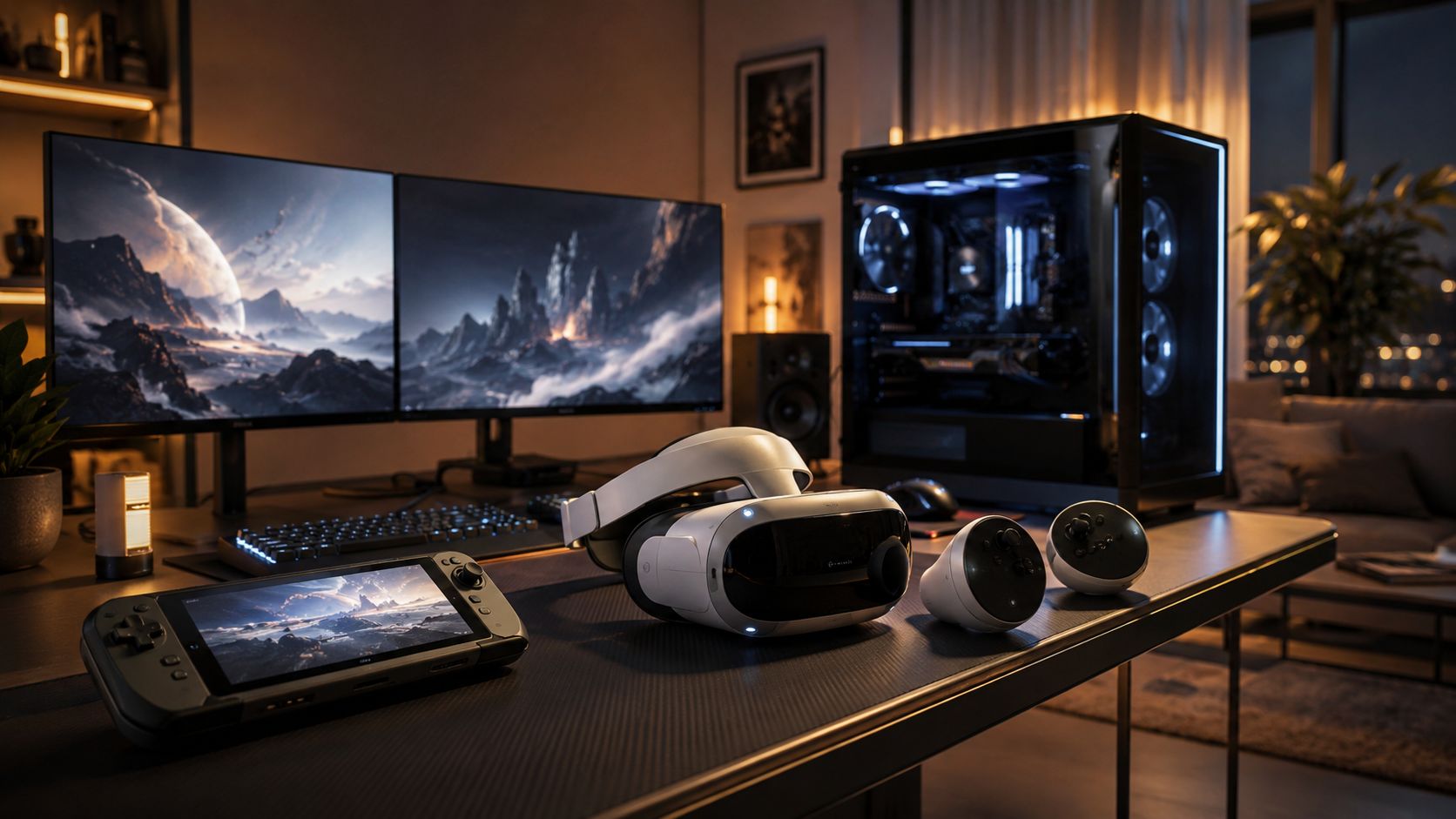
The Valve Steam Frame is a modular, self-contained VR headset designed to finally end the “PC tether vs standalone” dilemma. Officially described as a standalone, “streaming‑first” device, it runs a VR-optimized SteamOS, supports PC and Android games, and uses an included 6 GHz dongle to deliver seamless, high-quality wireless PCVR. With leading-edge specs (Snapdragon 8 Gen 3, dual 2160×2160 LCDs, inside‑out and eye tracking, Steam library integration), the Steam Frame aims to let PC gamers use and expand their library cable-free, in a headset you can mod or upgrade over time.
Steam Frame specs at a glance (what matters to buyers)
The Steam Frame headset stands out for its “futureproof” hardware, favoring real-world image quality, RAM, and modularity for longevity. Here’s what actually shapes your experience:
- Display: Dual 2160×2160 LCD panels per eye (twice Index, matches Quest 3) — sharp visuals and wide FOV.
- Processor & RAM: Snapdragon 8 Gen 3 SoC, 16GB LPDDR5X — strong for mobile/standalone; not a desktop GPU.
- Storage: 256GB or 1TB (plus microSD slot).
- Refresh Rates: 72, 90, 120, and 144Hz (latter is experimental; smoothness at lower Hz for battery saving).
- IPD Adjustment: Mechanical dial for fine-tuning lens spacing to suit different faces.
- Weight: ~185–190g (front module), ~435–440g (with battery, strap, audio).
- Battery: 21.6Wh replaceable rear strap — ~1-4 hours per session.
For even deeper specs, Valve and UploadVR offer the most thorough breakdown so far.
Visuals & optics — image quality, FOV, refresh, and what to expect
The Steam Frame VR experience is a substantial visual leap for most PCVR upgraders. Compared to the Valve Index, you’ll see roughly twice as many pixels per eye (2160×2160 vs 1440×1600), putting it on par with Meta Quest 3’s sharpness. Valve’s custom pancake lenses push horizontal FOV to ~110°, letting more of your surroundings in—particularly helpful for immersion in shooters and flight sims.
Refresh rates of up to 144Hz (experimental) bring improved motion clarity and comfort for those sensitive to “VR sickness”—but expect the highest refresh to chew battery quickly. Most users will blend 90Hz for action, or downclock to 72Hz to eke out longer sessions.
Summary: Expect visuals that tackle the main VR pain points—screen-door effect is gone, motion is crisp, and if you wear glasses or need special IPD, Steam Frame’s adjustable optics offer solid flexibility.
Tracking, controllers, and audio — daily use & multiplayer
Daily use is streamlined around inside‑out tracking: Steam Frame uses four wide-angle cameras for room-scale tracking, no base stations needed. The included controllers feature all modern inputs—thumbsticks, ABXY, grip, capacitive sensors, and finger tracking for gestures. Both run on AA batteries (simple to swap mid-session).
Valve integrates dual speakers on each side of the headstrap for solid external sound—better audio presence than Quest, with less sound leakage than Index speakers. Mics are located under the headset, optimized for multiplayer comms in noisy settings. The effect: near plug-and-play setup for solo or multiplayer gaming, couch VR, and social apps.
Compare this to your current setup (Index cables/sensors, Quest’s controller drift, PCVR dongle pile)—Steam Frame tidies everything into a single wireless kit.
The streaming‑first architecture explained (how PC streaming works)
Most buyers will care about how Steam Frame handles PCVR wirelessly—this is its “killer feature.” Two radios are at work: the headset stays connected to the internet via normal Wi‑Fi, while a bundled 6 GHz dongle plugs into your PC and creates a dedicated, low-latency Wi-Fi 6E or 7 stream just for VR. This wireless link routinely handles ~250 Mbps video/data, mirroring the performance of a cabled headset.
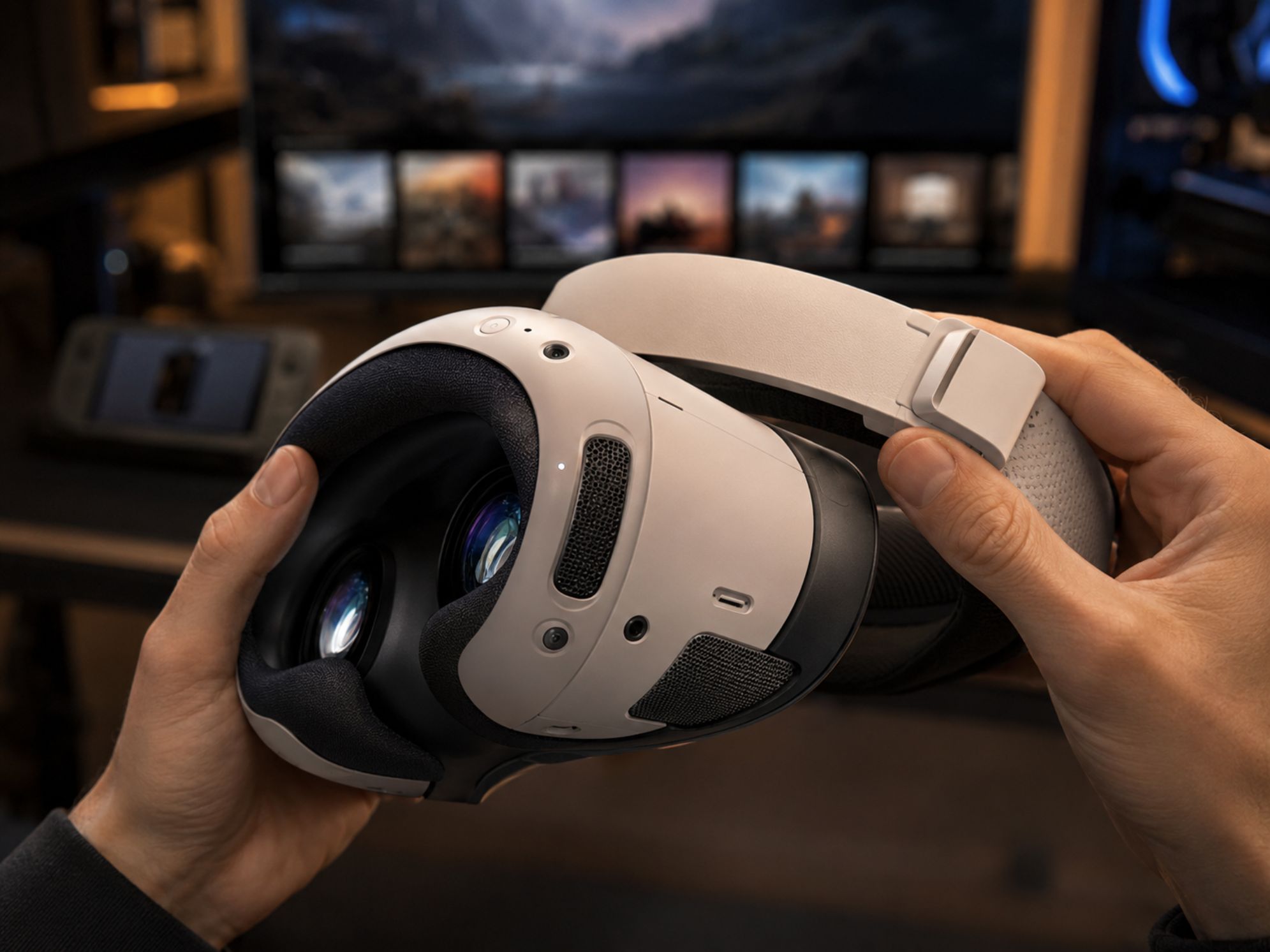
Native wireless PCVR isn’t just about convenience: it solves the core complaint for PCVR enthusiasts—cables. Seamless handoff lets you play Half‑Life: Alyx, DCS World, or modded Skyrim VR with no tethers, triggering PC renders that are then streamed to the headset at desktop quality. Stream quality, of course, does depend on your home network and is best in 6 GHz “clean spectrum” environments.
Standalone performance — realistic expectations for native VR on the SoC
It’s important to set proper expectations for native (on-headset) VR play. The Snapdragon 8 Gen 3, together with 16GB RAM, delivers one of the fastest mobile-VR platforms available. This enables smooth experiences for games built for Android or Core VR (think Superhot VR, Beat Saber, light sandboxes) without a PC. The Steam Frame VR spec is strong for a headset, but it cannot match a desktop GPU for demanding SteamVR classics.
Valve explicitly calls Steam Frame a “streaming‑first” VR device—most top-tier PCVR games, from Half‑Life: Alyx (in max settings) to MS Flight Simulator, require a PC and streaming for playable frame rates. Bottom line: treat native VR as a perk for travel or lighter use, not your main mode for AAA VR gaming.
Battery life, weight, and comfort — session planning
The modular design gives comfort and flexibility, but battery life is the main limiting factor. A 21.6 Wh rear battery powers the device for anywhere from 1 to 4 hours, depending on intensity. Casual or native games reach the upper end, high-refresh PC streaming drains power rapidly.
- Weight distribution: ~185‑190g (front module), total ~435‑440g. The back-mounted battery strap balances the system for reduced face fatigue.
- Battery swaps: The rear strap can be swapped—pick up a Battery swaps between marathon gaming or VR chats.
- Ergonomics: Valve touts support for comfort mods: top straps, custom face gaskets, and future accessory packs.
Plan around 2-hour stints for PCVR or action games, and optimize your play area for wireless range and cooling (the device stays cooler than Index or Quest under load).
For improved session comfort, consider pairing your setup with an ergonomic gaming chair or a gaming pillow for chair.
Compatibility with Steam library, Proton, and non‑Steam apps
The Valve Steam Frame runs a Linux-based SteamOS, bundling Valve’s Proton “compatibility layer” with a powerful x86‑to‑ARM translation engine. This gives access to much of your Windows and Linux Steam library, both 2D and VR, but not every single title is guaranteed. Some anti-cheat and DRM-heavy games (notably some popular shooters) may be flaky or not run at all natively.
Key strengths:
- Runs native Linux, ARM, and many Android games directly on the device.
- Streams any PC SteamVR or 2D game via the 6 GHz dongle (your PC does the hard work).
- Supports “big-screen” desktop streaming—run traditional PC games or even web browsers in VR.
Notably, popular exclusives like Half‑Life: Alyx are playable natively or streamed, and there’s a strong chance game devs will begin marking their titles as “Optimized for Steam Frame” (just like Steam Deck Verified) after launch.
Beyond Valve’s own titles, your compatibility will be best when sticking to Steam’s ecosystem. Non‑Steam OpenXR or Oculus games may require sideloading, and there’s not yet reliable info on native support for libraries like Epic or GOG within the headset’s OS.
Release timing, regions, and pricing — what we know and what’s still TBC
Valve announced Steam Frame in November 2025 with a targeted launch in early 2026. Pricing for any SKU has not been disclosed. Past launches suggest staged rollouts—major North American and European markets first, with global expansion if demand proves strong (see prior Steam Deck/Index strategies). If you are budget-sensitive, watch for MSRP announcements and, ideally, early hands-on reviews before committing.
For status updates, Valve’s official newsletter and announcement channels are the best bet—UploadVR and PCGamer are also covering breaking news.
How Steam Frame stacks up vs 2024 competitors (cost & value comparison)
| Headset | Standalone? | Resolution (per eye) | PC Streaming | Battery Life | Launch Price* |
|---|---|---|---|---|---|
| Steam Frame | Yes | 2160×2160 | Included dongle (6 GHz) | 1–4 hrs (swap) | TBC |
| Meta Quest 3 | Yes | 2064×2208 | Air Link/Virtual Desktop (Wi‑Fi) | 2–3 hrs | $500 (512GB) |
| Valve Index | No (PC only) | 1440×1600 | Native (wired only) | N/A | $999 (kit) |
*Steam Frame price is unannounced, but commentators expect it to come in above Quest 3 and well below Valve Index + gaming PC (which can total $1500–$2000+). Source: TWiT.TV
In practice, Steam Frame promises better value for existing PCVR users: if you already have a strong desktop, you add wireless, modular VR comparable to high-end kits, without the cable mess or double dip into Android or Meta-only hardware.
Early tester complaints & common concerns (real user pain points)
- Streaming dependency: Quality relies on your home network—unreliable Wi-Fi, interference, or thin walls can cause stutters or latency.
- Battery duration: 1–4 hours per charge is standard but not groundbreaking; expect to cycle batteries for long sessions, or plug in during marathon play.
- Limited native horsepower: Demanding PCVR classics (like MS Flight Sim, Assetto Corsa) simply won’t run at full fidelity without streaming from a gaming rig.
- Compatibility: Not all Steam titles work—DRM, anti-cheat and proprietary game engines can break support, even with Valve’s Proton advancements.
- Fit and comfort: Low front weight is impressive; some testers found the rear strap needs careful adjustment to prevent neck fatigue on longer sessions.
- Ecosystem lock-in: No official info on non‑Steam platform support or easy sideload methods; this may frustrate power users seeking cross-store access.

- Sleek, modular hardware with easy battery swaps
- Seamless PCVR streaming—truly wireless
- Superb image quality, flexible optics
- Handles both VR and 2D/desktop games (unique in class)
CONS:
- Battery and streaming limits for long sessions
- Not all titles work natively—PC & broadband required
- Price is still TBC, early adoption may bring quirks
- Some fit tuning required for comfort
Underreported strategic angles (unique insights to emphasize)
- Portable Steam Client: Steam Frame runs not just VR games, but also serves as a thin client to your entire Steam PC library—including 2D/desktop games in virtual “big screen” mode. This is more than most standalone VRs offer.
- Proton on ARM Leap: Valve’s deep investment in Proton/x86‑to‑ARM translation could push PC game support further for all ARM devices—benefiting not just Steam Frame but laptops, handhelds, and cloud gaming down the line.
- Unified Valve Hardware: The launch aligns with Steam Machine 2 and Steam Controller 2—suggesting an ecosystem with shared library, cloud saves, and settings across desk, living room, and VR.
For gamers who’ve embraced handheld PC gaming with the Steam Deck or crave seamless workflows, Steam Frame’s design hints at a future where you can play, pause, and resume from anywhere—desk to headset to living room—with one library.
Features and extensions that would make Steam Frame a must‑buy
- Modular Upgrades: Replaceable battery straps offer real upgrade/repair paths—no more retiring the entire headset when the battery fades.
- Verified/Optimized Content: Expect to see “Verified for Steam Frame” game tags in the Steam store, guaranteeing working, best-possible experience—already a huge community plus on Steam Deck.
- Accessory Ecosystem: Custom face gaskets, head straps, and audio mods will not just improve comfort, but also extend device longevity.
- Curated Exclusive/Optimized Games: If Valve launches major titles (similar to Half-Life: Alyx on Index) with tailored Steam Frame modes, the device’s value climbs fast for early adopters.
If you care about premium accessories, be sure to also explore the latest trends in RGB gaming accessories and monitor light bars for eye comfort.
Bottom line recommendation and buying scenarios
Your decision to buy comes down to your setup and risk tolerance. Here are two short real-world scenarios for clarity:
- PCVR Upgrader (owns powerful PC): Steam Frame is a compelling upgrade over old Index/Rift S if you want to ditch cables, value upgrades and cross-platform library access, and your Wi-Fi is robust. Wait for price and final reviews, but keep this on your shortlist.
- Quest / Standalone VR User: If you’re satisfied with existing mobile VR, weigh Steam Frame’s image quality and streaming advantages against ergonomic/battery realities—and consider your home network.
- Cautious or Cost-Sensitive Buyer: Steam Frame’s launch is set for early 2026, with price and long-term software support yet to be proven in the wild. If every dollar counts, subscribe to updates and bookmark this guide for pricing/refinement news.
Steam Frame brings impressive hardware and meaningful upgrades, but strong PC and good Wi-Fi remain prerequisites for the full experience. As always, review hands-on impressions and price announcements before preordering. For launch news, sign up to Valve’s official newsletter and check back here for our deep-dive review as embargoes lift.
The Steam Frame redefines cable-free premium PCVR—if you have the PC for it, and patience for ecosystem quirks, it should be right at the top of your watchlist for 2026.
FAQ
Will the Steam Frame replace my gaming PC for VR?
No—the Steam Frame is designed as a “streaming-first” device; for AAA VR experiences you’ll still need a capable desktop or laptop PC to render games and stream them wirelessly to the headset. The onboard chipset handles light native VR and 2D games but is not a desktop GPU replacement.
How does Steam Frame battery life compare to other headsets?
Expect 1–4 hours per charge based on workload and refresh rate, which is standard for premium standalone VR. The modular battery strap means you can hot-swap in a spare for longer sessions—something not all competitors offer.
Is every Steam game compatible with Steam Frame?
Not all. While the Proton and x86‑to‑ARM engine covers a huge portion of the library, games using strict anti‑cheat/DRM or non‑Linux middleware may not run natively. PC streaming mode allows nearly full compatibility, as your PC does the heavy lifting.
Do I need special network equipment for the Steam Frame?
The included 6 GHz dongle handles most wireless streaming automatically, creating a private “superfast” link to your PC. Very large homes or congested network environments may benefit from optimizing router placement or adding mesh nodes.
When and where will Steam Frame launch, and how much will it cost?
Valve targets early 2026 for launch, with initial availability likely in North America and Europe. Official pricing is TBC—expect it to sit above Meta Quest 3’s range but below the cost of a full Valve Index plus PC. Follow Valve’s news page for the latest info.
