

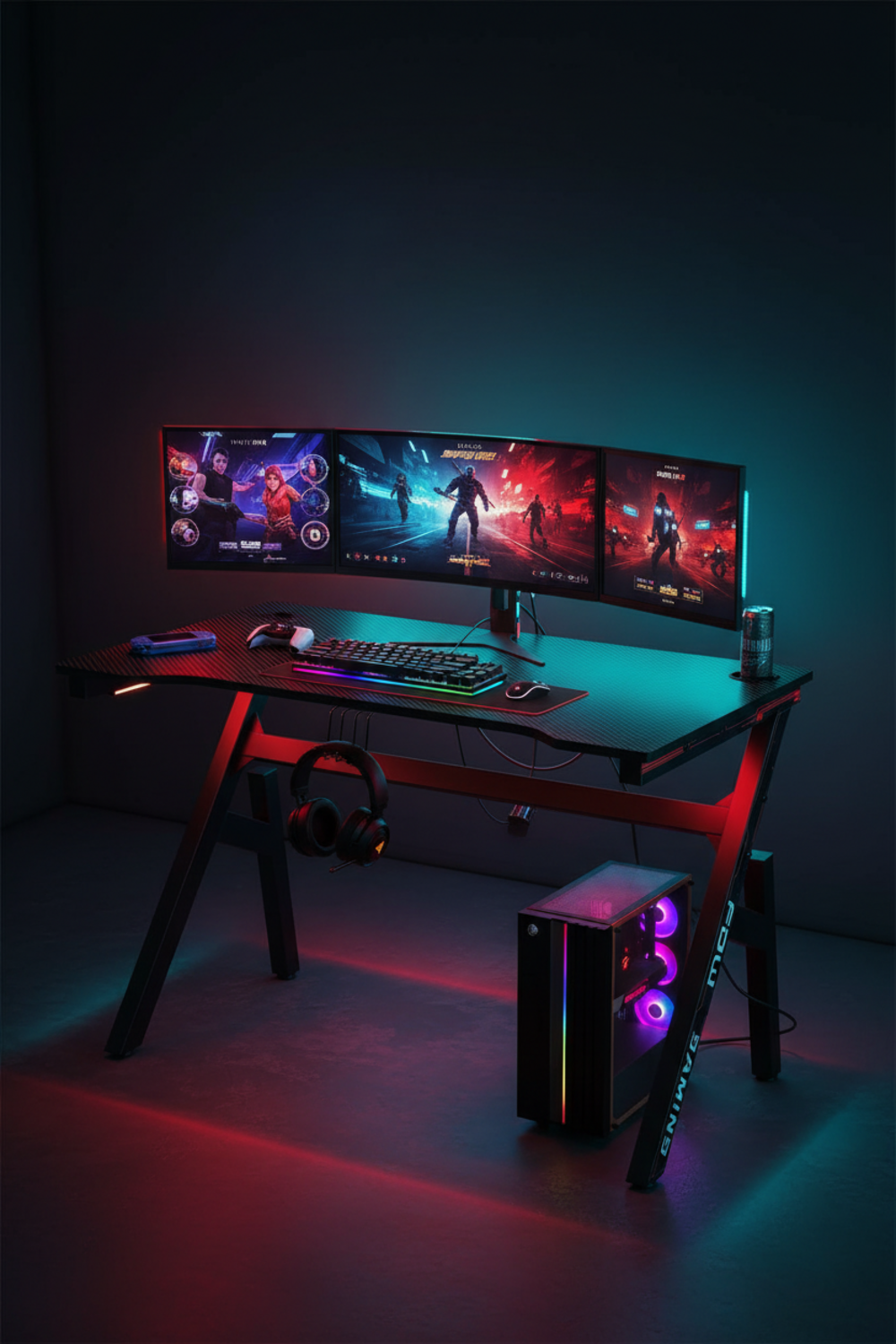
portable gaming monitor adoption has exploded in 2024, but powering a wall-outlet-free, public-friendly dual-screen setup—without lag or battery anxiety—remains a real challenge for digital nomads, esports travelers, and serious remote workers.
Key Takeaways
- Modern portable gaming monitors with USB-C and OLED lead the market, but true wall-outlet independence requires careful gear selection and power management.
- Key pain points include limited run-time, real-world latency, ergonomics, and setup security in public or travel contexts—most guides overlook these.
- With the right 144Hz portable monitor, power bank, and mounting hacks, you can enjoy reliable, high-performance gaming and productivity anywhere—if you plan ahead.
- The Rapid Rise of Portable Gaming Monitors in 2024
- Key Challenges for Mobile Dual-Screen Gaming Setups
- What Top-Ranking Guides Overlook: Critical User Needs
- Gold Standard Specs: Best Available 144Hz OLED USB-C Monitors
- All-In Weight, Cost, and Must-Have Accessories for a Wall-Outlet-Free Setup
- OLED Touch vs. Traditional Portable Gaming Monitors: Lab and User Testing
- Leading Brands, Warranties, and Support: What Matters in 2024
- Step-by-Step: Building a Portable Dual-Screen Gaming Command Center
- Advanced Analysis & Common Pitfalls
- Conclusion
- FAQ
The Rapid Rise of Portable Gaming Monitors in 2024
Portable gaming monitors have surged to mainstream status for a reason. In 2024, this market reached roughly $330 million globally, driven by the needs of gamers, remote professionals, and those pursuing a location-independent lifestyle. Gaming-focused displays now make up about 18% of all portable monitor sales, while USB-C OLED monitor models lead demand at 42% thanks to their plug-and-play versatility, light weight, and energy efficiency.
The rise of indie and AAA gaming, esports team mobility, and digital nomadism means running a high-fidelity dual display outside the home—at a café, hotel, or coworking space—is no longer a wild idea. People expect high refresh rates, touch input, and color-accurate screens, all in a form factor that fits in a backpack and can run for hours on batteries or a power bank.
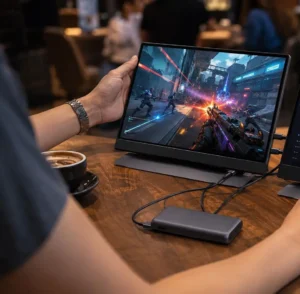
Key Challenges for Mobile Dual-Screen Gaming Setups
The reality of a mobile dual-screen gaming setup is more complicated than marketing materials suggest. Users in real-world conditions consistently cite three major pain points:
- Power Limitations: Even top-tier portable gaming monitors, when run in dual setups, typically deliver 3–8 hours of battery play, even when using high-capacity power banks. Actual runtime depends on screen brightness, refresh rate, and whether pass-through charging display features are used.
- Latency Issues: Claims of 1ms response don’t match field experience—on wireless or bandwidth-limited links, latency spikes to 80–100ms, causing noticeable input lag, especially in shooters or competitive titles. Even wired setups can see degrade if using subpar cables or ports.
- Ergonomics & Security: Café tabletops, hotel rooms, and public desks mean limited space and wobbly surfaces. Without stable stands or clamps, monitors tip easily. Anti-theft is a real concern, as is glare from ambient lighting and the need for a discreet, comfortable setup.
Despite advances, these friction points keep coming up for digital nomads and esports travelers who want genuine, wall-outlet-free productivity and play.
For a deeper dive into ergonomics and how multi-monitor layouts determine comfort, visit this multi-monitor gaming productivity guide.
What Top-Ranking Guides Overlook: Critical User Needs
Most portable monitor reviews cover basics—refresh rate, resolution, weight—but often skip key demands real users care about:
144Hz Portable Monitor Performance at Full Resolution
Many mobile setups can’t deliver stable 144Hz at native resolution when limited to a single USB-C connection—often dropping frames or resolution when device bandwidth is maxed. Verify both your GPU and monitor support true 144Hz portable monitor operation (not just in promoted specs).
Pass-Through Charging Without Overheating
Pass-through charging display capability is essential when you’re gaming for hours without wall access. Yet, cheaper monitors can heat up and throttle performance or cause erratic charging behavior, especially at high brightness or refresh. Pick models certified for stable pass-through charging even during intense use.
Physical Stability and Security in Public Setups
Tables at cafés or coworking spaces rarely offer much room or stability. Weak built-in fold-out feet mean your monitor will tip with a sleeve bump or an accidental tug on the cable. Few reviews cover use of robust travel stands, VESA adapters, or anti-theft cable lock solutions, which are critical for real-world peace of mind. Not addressing these is why so many setups fail outside the home.
For more inspiration on desk and surface setup, especially if you aim for an organic dual-purpose workspace, consider real-world field-tested solutions.
According to industry reports, the awkward physical setup, risk of theft, and poor ergonomic experience are consistently top pain points for mobile gamers, yet they remain rarely discussed in depth by mainstream sites (source).
Gold Standard Specs: Best Available 144Hz OLED USB-C Monitors
In 2024, the best portable gaming monitor options feature:
- 144Hz refresh at full resolution (either FHD or QHD, rarely 4K for battery), with no drops during touch input or with subpar cables
- Genuine USB-C OLED monitor panels with deep contrast, true black, and vivid color accuracy
- 10-point touch screen monitor capability for creative and multitasking workflows
- Support for pass-through charging while running at max specs—critical for long work or gaming sessions
- 3–8 hours of real-world dual-monitor runtime with power bank support, thanks to a 22% efficiency jump in the latest OLED models
Top brands such as ASUS ROG, Aura Displays, AOC, Samsung, and Lenovo all have models that claim these features—yet lab and field tests still show meaningful variances in color accuracy and battery life. If you care about creative work or esports, read beyond the marketing before buying.
For a more detailed monitor-by-monitor breakdown, check out our budget gaming monitor guide—some affordable models deliver surprisingly high specs.
All-In Weight, Cost, and Must-Have Accessories for a Wall-Outlet-Free Setup
Optimizing for real mobility means looking beyond the screen. True all-day, dual-screen productivity demands:
- Two 15–17″ portable gaming monitors (~1–1.5kg each, total 2–3kg)
- Power banks (20,000–40,000mAh, PD-rated for 65–100W output, weighing 0.7–1.5kg for 2 units)
- Stable foldable stands or sturdy VESA-compatible travel mounts
- Locking cases, cable ties, and, for public spaces, small anti-theft cable locks
All-inclusive, expect a total cost of $700–$1200, depending on your monitor choice, the size and brand of your power bank, and extra accessories. Carrying weight is typically 3–5kg. That’s the difference between a setup that’s actually portable and one you leave at home.
Don’t forget related gear: a silent, programmable mechanical keyboard keeps you productive without disturbing others when gaming or working on the go.
Other essentials include a monitor light bar for reducing eye strain on-the-move setups, and a handheld PC gaming device if you want ultimate flexibility alongside your portable display.
OLED Touch vs. Traditional Portable Gaming Monitors: Lab and User Testing
Lab and field data confirm striking gains for modern USB-C OLED monitors:
- OLED models achieve color accuracy and contrast ratios that LED-based screens can’t match (crucial for both games and creative work)
- Measured touch latency for most new 10-point touch screen monitors is under 10ms compared to 20–40ms on older or LED panels
- Durability is on par or better, but you must still protect against impact in travel—the glass is thinner for weight savings
- OLEDs run cooler and more efficiently, but cost more and can be trickier to keep smudge-free in daily use
For in-depth audio accessories, supplement your visuals with the AI soundbar for gaming—useful for boosting sound clarity without dragging extra speakers.
User-reported issues include fragile connectors on some lightweight panels and concerns about OLED burn-in when displaying static HUDs for hours. These issues are minor with today’s pixel-shifting tech, but worth keeping in mind.
To see specs and common issues for a standout new monitor, read our AOC Q27G3XMN review.
Leading Brands, Warranties, and Support: What Matters in 2024
Choosing a portable gaming monitor is only half the battle. Support matters—especially if you travel.
- Top brands in North America and Europe include ASUS ROG, Aura Displays, AOC, Samsung, LG Display, Lenovo, Dell, and Acer. These have >88% customer satisfaction where strong return/replacement policies exist (source).
- Look for at least a 2-year warranty, with global service centers or easy mail-in returns. Many brands offer advanced exchange for rapid swaps—critical when on the road.
- Support for firmware updates (to fix bugs, add features) is more common in premium models—another reason NOT to choose no-name brands with little documentation.
Always check for compatibility with your laptop, console, or handheld—firmware quirks can still impact dual-monitor setups, even in 2024. See also our rundown of portable dock Switch accessories if traveling with a console.
Step-by-Step: Building a Portable Dual-Screen Gaming Command Center
- Select Two Monitors
Pick 15–17″ OLED USB-C monitors that support 144Hz at native resolution, 10-point touch (if needed), battery operation, and confirmed pass-through charging for your travel adapter/country. - Source Reliable Power
Choose PD 65–100W power banks with high cycle ratings, and confirm your monitors can run AND charge with them all day. Always bring two for redundancy. - Stable Stands/Mounts
A foldable tablet stand (not flimsy built-in kickstands) protects your monitors and provides proper ergonomics in unpredictable environments. - Anti-Theft Planning
Use anti-theft cable locks or tethers in public and consider cases or covers to keep your setup discreet and protected in transit. - Cable and Connectivity
Stock short (1m or less), robust USB-C cables and spare adapters. Never rely on the hotel staff to have replacements. - Test Before You Travel
Simulate your setup in a local café or public place, timing battery runtime and checking for latency issues before hitting the road. - Optimize Your Input Devices
Consider an ultra-light keyboard or mouse—see our overview of precision gaming mouse picks.
If you want your portable displays to double as a home battlestation, consider a magnetic cable management desk like the Secretlab Magnus Pro.
Advanced Analysis & Common Pitfalls
Here’s a reality check of common problems users encounter with portable dual-monitor gaming kits:
| Issue | Real-World Consequence | Mitigation |
|---|---|---|
| Underpowered USB-C ports | Monitors won’t run at full brightness/refresh or drain battery fast even with cables connected | Always check both monitor AND laptop spec—buy 100W+ PD power banks; test before travel |
| Poor stand stability | Monitor tips over, possible damage from falls, frequent readjustment needed in busy spaces | Carry a travel-grade stand or clamp; avoid setups relying solely on fold-out feet |
| High wireless/display latency | Causes input delay in gaming, unusable for FPS, rhythm, or remote desktop work | Wire directly when possible using short, high-quality cables; avoid mirroring over Wi-Fi |
| Insufficient battery life | System dies mid-session; forced to scramble for wall outlets, defeating purpose | Bring two power banks; run at lower brightness & refresh when possible; unplug accessories when idle |
| No anti-theft protection | Risk of loss or theft in public; peace of mind lost | Use cable locks/tethers; sit where devices remain in sight; never leave gear unattended |
| Firmware/compatibility bugs | Monitors fail to wake from sleep or display erratically; lost productivity | Keep firmware current; buy from brands with robust update support and documentation |
Major technical pain points documented by users include overheating during pass-through charging sessions, spotty cable connections, and sudden battery drain when monitors run at max settings. Most are solved with a double-check of device specs, brand selection, and always carrying redundancy in gear.
Conclusion
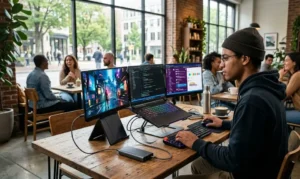
Mastering a truly portable dual-screen setup demands more than buying the latest portable gaming monitor. Plan for power, stability, latency, and theft-mitigation up front to win both comfort and competitive advantage away from your home desk. For nomads and gamers willing to set up smart, today’s tech enables hours of high-refresh remote play and productivity wherever you roam.
Want expert picks or troubleshooting help for your build? Explore our latest guides or ask your portable gaming monitor questions in the comments below.
FAQ
Can you run dual portable gaming monitors all day without a wall outlet?
With the right power banks (65–100W PD, 20,000–40,000mAh) and efficient monitors, you can get 6–10 hours—but expect less at max refresh/brightness. Always test your full setup before traveling.
Is pass-through charging safe for portable monitors during intense gaming?
Most premium models support safe pass-through charging, but monitor temperature and cable quality matter. Cheaper displays can overheat or charge erratically if pushed hard—stick with trusted brands.
How can I secure my portable monitors in a café or public space?
Use a small laptop cable lock, travel case or sleeve, and keep devices in your line of sight. Choose low-profile, sturdy stands to avoid accidental bumps or tips, and never leave gear unattended.
Are 144Hz and 10-point touch available together in portable gaming monitors?
Yes, in 2024 several models offer both true 144Hz refresh and full 10-point touch. Always double-check specs and real user reviews to confirm they work together without compromise.
What’s the biggest hidden cost for a dual portable gaming monitor setup?
Aside from the screens, quality power banks and stands can add $200–$400 to the build—skimping here leads to frustration or a setup you’ll leave at home.

[…] you’re building out the rest of your mobile workflow, explore options like portable gaming monitors and power bank for gaming […]