

### Blog Post:
Dezctop Bifrost Elite 160 is rapidly becoming the centerpiece for tech-savvy gamers, content creators, and professionals who demand rock-solid stability, true modularity, and flawless multi-monitor ergonomic setups at the 160cm benchmark.
Key Takeaways
- The Dezctop Bifrost Elite 160 excels at modularity and cable management for dual or ultrawide monitor setups, but users should consider stability and accessory costs.
- 160cm modular sit-stand desks are the new standard for both immersive gaming and high-productivity workspaces in 2024 and beyond.
- Real-world feedback highlights crucial issues: D-Board backboard flimsiness, occasional instability at standing height, and a premium price segment with limited included accessories.
- The Exploding Market for 160cm Modular Gaming Desks in 2024
- Dezctop Bifrost Elite 160: Tech Specs & D-Board Ecosystem Deep Dive
- What Users Love & Hate: Real-World Pain Points with the Dezctop Bifrost Elite 160
- Price, Warranty, and Support: Is the Bifrost Elite 160 Worth It Against Rivals?
- Measurable Benefits: Ergonomics and Productivity Gains with Wide-Format Modular Setups
- Customization & Installation: How Flexible (and Easy) Is the Bifrost Elite 160 Compared to the Competition?
- What Most Reviews Miss: Overlooked Features for Serious Desk Buyers
- Conclusion
- FAQ
The Exploding Market for 160cm Modular Gaming Desks in 2024
The surge in demand for 160cm gaming desks signals a fundamental shift in how gamers and remote professionals build their setups. The global gaming desk market was valued at about $3.7 billion in 2024 and is forecasted to almost double by 2033, growing at an 8.7% CAGR [5]. There are clear drivers: remote work, professional streaming, aggressive sim racing growth, and a craving for integrated modular sit-stand setups. Wooden desks are taking the lion’s share, with over 45% of 2024’s revenue, driven by their durability and aesthetics. The 160cm width is now the gold standard, offering enough space for dual 27-inch displays or massive ultrawide monitors and leaving room for peripherals, towers, and swap-in gear.
Dezctop Bifrost Elite 160: Tech Specs & D-Board Ecosystem Deep Dive
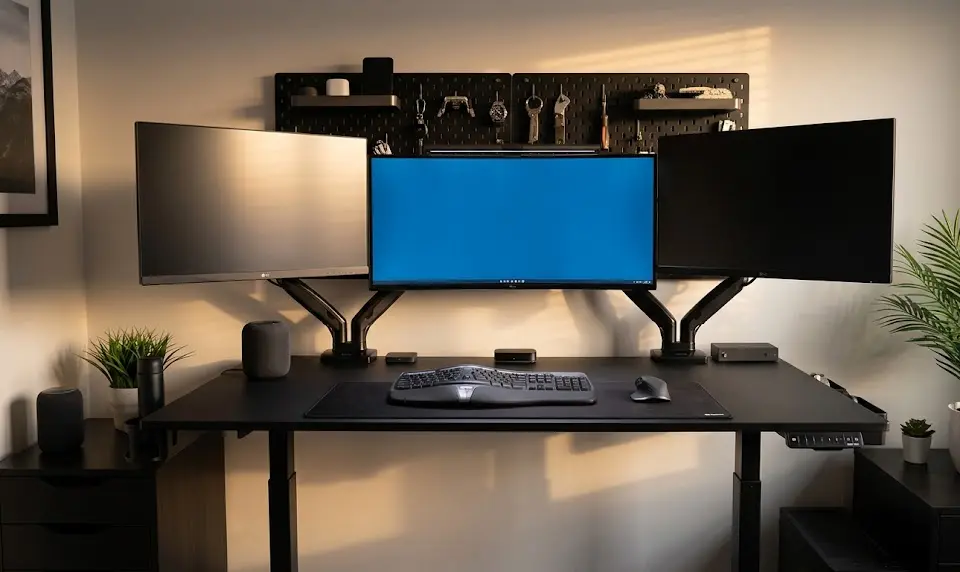
The Dezctop Bifrost Elite 160 stands out not just for its dimensions, but for its attention to expandability and ergonomic workflow. This modular sit-stand desk offers full electric height adjustability between 25.6 and 51.2 inches using a three-stage lift system—making it suitable for both sitting and true standing/leaning postures. Its 160 x 70 cm surface is purpose-built for dual 27-inch or ultrawide monitors plus your PC, peripherals, and a suite of D-Board accessories [6].
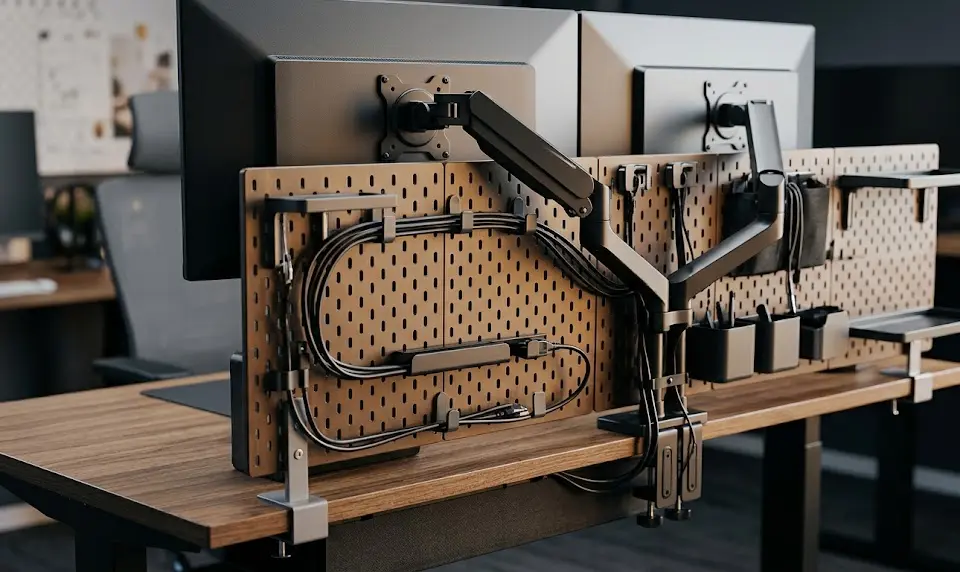
What sets the D-Board desk ecosystem apart? It’s a rear-mounted, modular backboard system designed to mount large monitor arms, lighting, pegboard bins, and cable management trays. Finishes range from understated black and white to premium oak, walnut, and ash textures. The underdesk cable tray is spacious and effective, with three large pockets (useful for hiding extension leads, USB hubs, and power bricks) [2]. Compared to other deep ultrawide desks like the Secretlab Magnus Pro or Blacklyte Atlas, the Bifrost’s accessory slots are more modular but some owners report its pegboard panel feels less rigid once loaded up.
What Users Love & Hate: Real-World Pain Points with the Dezctop Bifrost Elite 160
The most common praises and complaints emerge straight from owners using this modular backboard desk for demanding productivity or gaming:
- Build Quality: Owners love the dense tabletop and robust frame. The finish feels genuinely premium, even on textured wood options like walnut and ash.
- Cable Management: The included trays and D-Board keep cables managed and extensions hidden without DIY mods.
- Main Complaints: The supplied plastic-frame pegboard can flex or wobble if overloaded—especially with dual-arm mounts, heavy sim racing wheels, or stacked monitors at standing height [1]. Desk stability is occasionally cited as a weak point for serious streamers and multi-monitor users, with a few reporting minor sway at the highest elevations.
- Accessory Ecosystem: While highly modular, the accessory range is not as wide or rugged as some competitors (like Secretlab’s magnetic suite or IKEA’s holistic cable trays), and costs add up quickly if you want a fully tricked-out setup.
- Assembly: Most users report a straightforward build, but all instructions are online, not included in the box. If this is your first modular backboard desk, expect a setup time of 1-2 hours.
Price, Warranty, and Support: Is the Bifrost Elite 160 Worth It Against Rivals?
The Dezctop Bifrost Elite 160 sits at the upper range of the wood texture sit stand desk market, typically retailing above $800 before accessories. Included features cover the core modular backboard, trays, and finishes, but every additional module increases the overall spend. Compared to rivals such as the Secretlab Magnus Pro XL or Blacklyte Atlas, the Bifrost offers more aesthetic variety and a unique D-Board rear system. However, the Atlas covers more RGB and the Magnus Pro has a magnetic accessory ecosystem specifically for heavy dual-arm setups [Read more].
| Model | Width/Depth (cm) | Height Range (in) | Accessory System | Price (USD) | Warranty |
|---|---|---|---|---|---|
| Bifrost Elite 160 | 160 x 70 | 25.6–51.2 | D-Board Modular Backboard | $800+ | Up to 5 Years* |
| Secretlab Magnus Pro XL | 177 x 80 | 25.6–49.2 | Magnetic Trays/Ecosystem | $949+ | 5 Years |
| Blacklyte Atlas | 160 x 75 | 28.7–48.8 | RGB Modularity | $1000 | 1 Year |
*Warranty terms may vary by region. Check with Dezctop for the latest updates here.
Measurable Benefits: Ergonomics and Productivity Gains with Wide-Format Modular Setups
Studies and user data show that a 160cm gaming desk with a modular backboard desk ecosystem improves workflow, comfort, and performance for multitaskers and competitive players. The extra-wide desktop fits dual 27-inch or even ultrawide displays at an optimal viewing angle, supporting long work or play sessions. Ergonomic flexibility—from sit to stand—signals reduced fatigue and better posture over time, especially when combined with accessories like an ergonomic gaming chair or comfortable over-ear headphones.
- Cable Trays: Keep wires and peripherals off the surface for a cleaner aesthetic and less accidental tugging during gameplay.
- Screen Height: True sit-stand adjustability means monitors can be set at perfect eye level, reducing neck strain.
- Productivity: More real estate supports streaming gear, stream decks, and even monitor light bars for eye comfort [Monitor Light Bar Guide].
Customization & Installation: How Flexible (and Easy) Is the Bifrost Elite 160 Compared to the Competition?
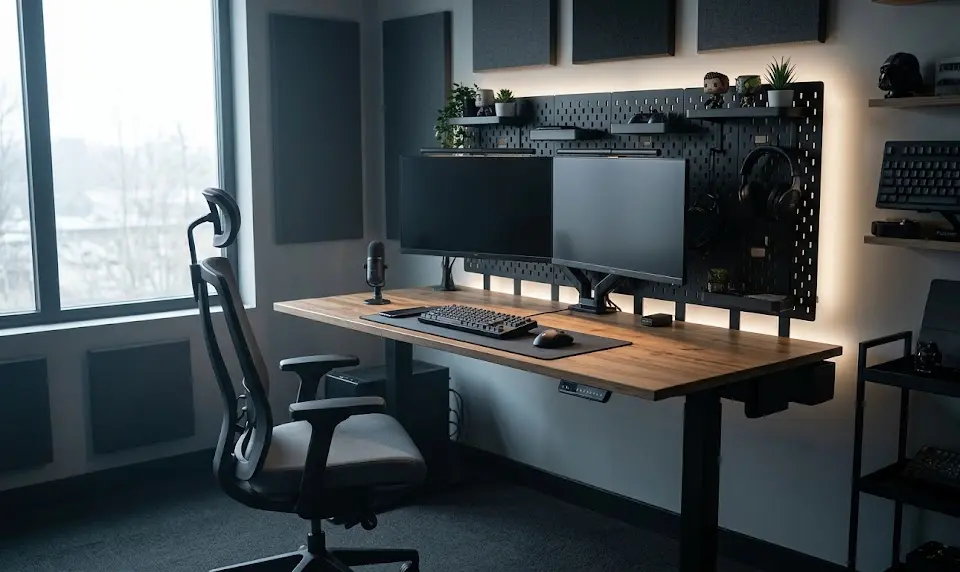
Customization is where the Bifrost Elite 160 shines for expansion options. The D-Board desk ecosystem lets you attach, rearrange, and swap out hooks, trays, or monitor arms with moderate ease. Surface finishes are genuinely varied and hardware tolerances are tight (mounting holes, track spacing). That said, assembly time is typically between 60 and 120 minutes and relies heavily on an online-only manual. Accessories are simple to install but, for more elaborate cable routing or custom monitor arms, expect some trial-and-error.
The main catch? Accessory range and availability can lag behind competitors, and premium pricing can make a full “dream desk” setup cost well north of a grand (USD). For those after an integrated, biophilic setup blending natural wood and tech, see ideas in our biophilic gaming setup guide.
What Most Reviews Miss: Overlooked Features for Serious Desk Buyers
1. Floor Type Directly Impacts Desk Stability
A desk that feels rock-steady on hardwood can wobble considerably on thick carpeting or uneven tile. The Bifrost’s stability at high standing elevation heavily depends on both leg design and your room’s flooring. Look for models with reinforced crossbars or wedge-shaped legs if you have heavier setups or sim racing rigs floor stability [10].
2. Modular Ecosystem Longevity
Will your modular sit-stand setup support new accessories down the line? Dezctop’s D-Board is expandable but only if future modules are released. Compare update roadmaps if you plan to upgrade your setup over 5+ years. Competing ecosystems like Secretlab or IKEA often outpace on accessory breadth and replacement part supply.
3. True Power-User Cable Management
Power users with DACs, capture cards, and large streamer gear benefit most from underdesk channeling (and ideally magnetic or concealed trays). The Bifrost’s hidden pockets keep most cords tidy but you may need to supplement with third-party trays or raceways for maximum effect. See our gaming desk setup essentials guide for more tips tailored to advanced PC builds.
Conclusion
If you are comparing modular sit-stand setups this year, the Dezctop Bifrost Elite 160 is a true contender—provided you weigh its strengths against potential drawbacks. It’s a future-proof modular backboard desk with standout finishes and real ergonomic gains for dual monitor or content-heavy workspaces. However, some users will need to reinforce the D-Board, plan for accessory costs, and ensure it matches their floor type for best results. For enthusiasts who want premium, deep ultrawide desk options without sacrificing expansion or cable tidiness, the Dezctop Bifrost Elite 160 is likely worth your shortlist. Ready to build your ultimate productivity or gaming space? Take the next step by exploring more components in our setup essentials guide or compare high-end alternatives before you buy.
FAQ
Will the Dezctop Bifrost Elite 160 securely support dual or ultrawide monitors at standing height?
The desk is designed for dual 27-inch or single ultrawide monitors, but users report some flex or wobble at full elevation, especially with heavy monitor arms anchored to the D-Board. For heavy setups, mounting directly to the desktop or adding extra support is recommended.
Is the D-Board accessory ecosystem backward compatible with older Dezctop desks?
Some accessories are cross-compatible, but always verify with Dezctop’s latest documentation. Newer modules are designed with the revised D-Board mounting grid.
How does the Bifrost Elite 160 compare to the Secretlab Magnus Pro XL for cable management?
The Bifrost uses three large hidden cable trays with magnetic covers, while the Magnus Pro XL offers a full-length, magnetically-secured cable channel. Both are excellent, but the Magnus Pro is often rated higher for power-user and streamer builds—see our detailed comparison here.
Does the desk come with a printed assembly manual?
No, all instructions are accessed online. Assembly is straightforward, but first-time users may want to set aside 1-2 hours and a second pair of hands.
Can I use the Bifrost Elite 160 for a sim racing setup?
Yes, but if you plan to mount a wheel base or direct-drive pedals, reinforce the pegboard area and check your floor stability. Some users find it wobbly at higher standing heights with heavy rig attachments. For advanced sim racing desk tips, read this guide.
